Sponsored

Aftermarket automatic high beams on a 2024

OP
OP
Yock

Yock

Well-Known Member
Joined
May 4, 2024
Threads
12
Messages
91
Reaction score
88
Location
USA
Vehicle(s)
2024 Mojave
Success! I was able to plug in the bypass module mentioned above and change the settings. Purchase the items above, download the app, plug it into your vehicle, buy the license for your vehicle.

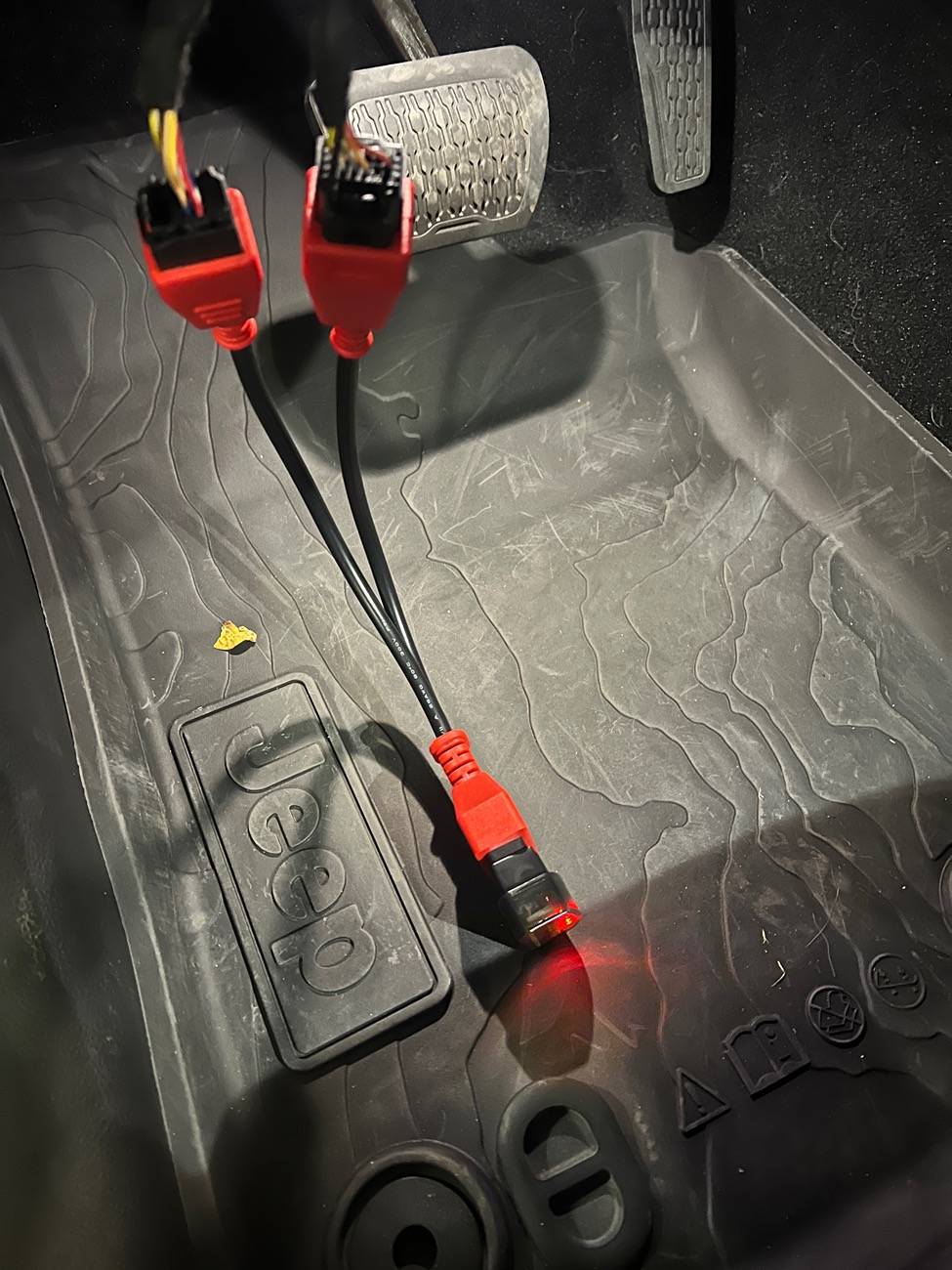
To plug in the bypass module I also highly recommend the extension cable mentioned above. You’ll just need to pop off the knee panel under the wheel. After that you’ll contortion yourself to unplug the two cables from the module, pop them into the extension (small first, then big. I couldn’t do it the opposite way.) These can help find it:

https://jscan.net/wp-content/uploads/2021/11/JT.png

https://jscan.net/jl-jt-security-bypass/

Once that's done plug in the bypass cable, then the bluetooth adapter, and connect with the instructions they give. In the app go to adaptations, then to auto headlamp on/off (top option for me.)

First find “auto high beam module location” and set that to “IRCM”.

Then you can set “auto high beam on/off” to “active”.


Jeep Gladiator Aftermarket automatic high beams on a 2024 IMG_4558
Sponsored

 
Last edited:

articcatbill

Well-Known Member
First Name
Bill
Joined
May 26, 2024
Threads
7
Messages
59
Reaction score
122
Location
Pennsylvania
Vehicle(s)
2024 Gladiator Rubicon
Do you now have the setting in screen in your Jeep? After this was completed I think I had to go into the setting on the Jeep screen (Stereo) and enable it there. So once I was done with everything the setting appeared in my screen of the Jeep and I was able to turn it on there.
 
OP
OP
Yock

Yock

Well-Known Member
Joined
May 4, 2024
Threads
12
Messages
91
Reaction score
88
Location
USA
Vehicle(s)
2024 Mojave
Do you now have the setting in screen in your Jeep? After this was completed I think I had to go into the setting on the Jeep screen (Stereo) and enable it there. So once I was done with everything the setting appeared in my screen of the Jeep and I was able to turn it on there.
nah, that’s what the edit in my last post is insinuating to some degree. Think the ECU just needs to reboot and I didn’t do it manually. Did you change any other settings than the one I did in my video?
 
OP
OP
Yock

Yock

Well-Known Member
Joined
May 4, 2024
Threads
12
Messages
91
Reaction score
88
Location
USA
Vehicle(s)
2024 Mojave
Do you now have the setting in screen in your Jeep? After this was completed I think I had to go into the setting on the Jeep screen (Stereo) and enable it there. So once I was done with everything the setting appeared in my screen of the Jeep and I was able to turn it on there.
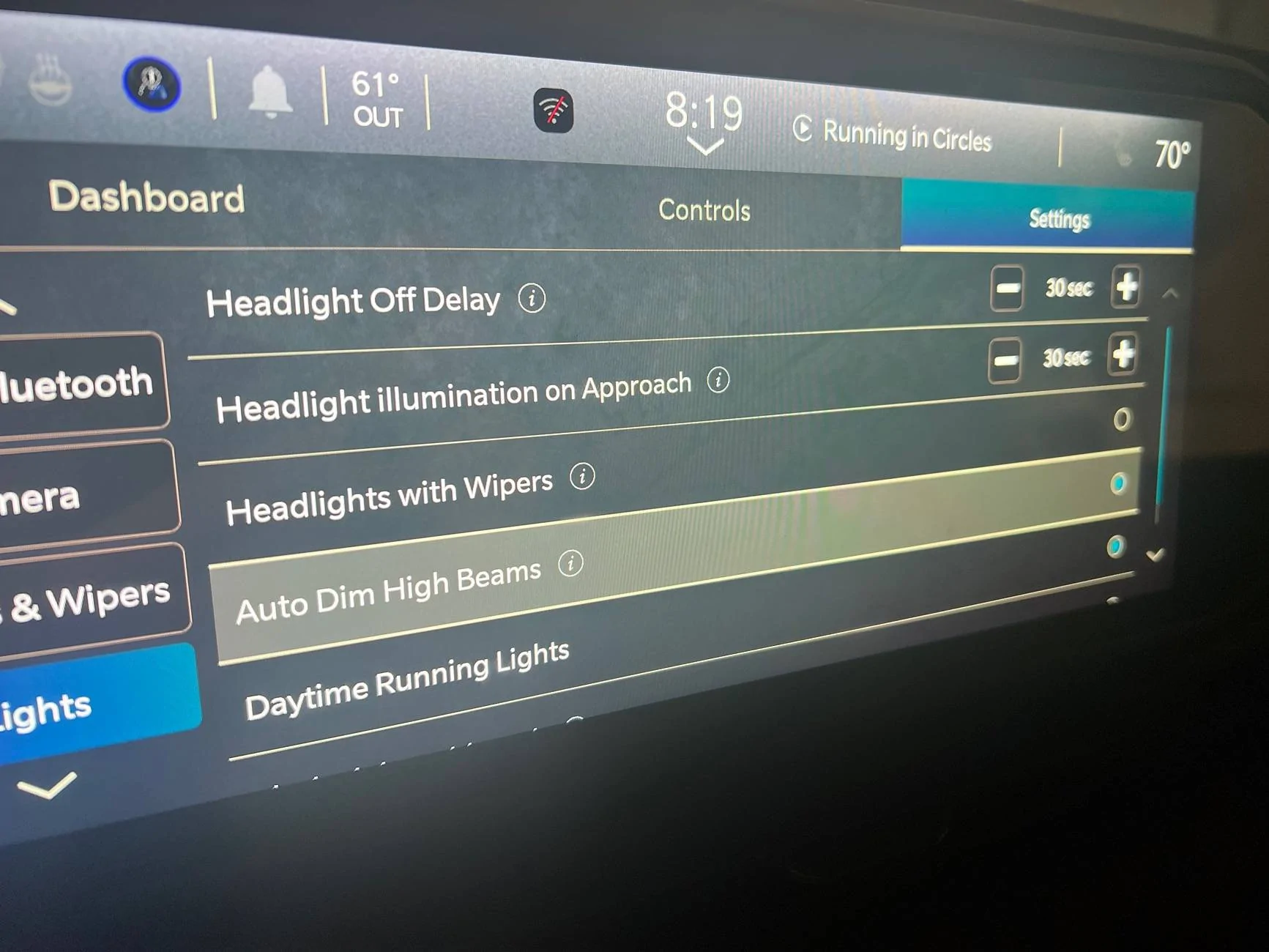
yeah it’s in here now, and it was disabled by default.

Jeep Gladiator Aftermarket automatic high beams on a 2024 IMG_4568
 
Last edited:

articcatbill

Well-Known Member
First Name
Bill
Joined
May 26, 2024
Threads
7
Messages
59
Reaction score
122
Location
Pennsylvania
Vehicle(s)
2024 Gladiator Rubicon
Make sure your light switch is on auto and you have the high beams on, the center console should say auto high beam enabled
 

Sponsored

OP
OP
Yock

Yock

Well-Known Member
Joined
May 4, 2024
Threads
12
Messages
91
Reaction score
88
Location
USA
Vehicle(s)
2024 Mojave
Make sure your light switch is on auto and you have the high beams on, the center console should say auto high beam enabled
It works! Thank you so much for helping me succeed in this endeavor, this was an -extremely- missed setting
 

articcatbill

Well-Known Member
First Name
Bill
Joined
May 26, 2024
Threads
7
Messages
59
Reaction score
122
Location
Pennsylvania
Vehicle(s)
2024 Gladiator Rubicon
Awesome!!! Glad you got everything working, I know I was excited once I got this working on my Jeep. Not much money and a great feature to have, I know I love mine and they work great!
Sponsored


Top