calicorks
Well-Known Member
- Thread starter
- #1
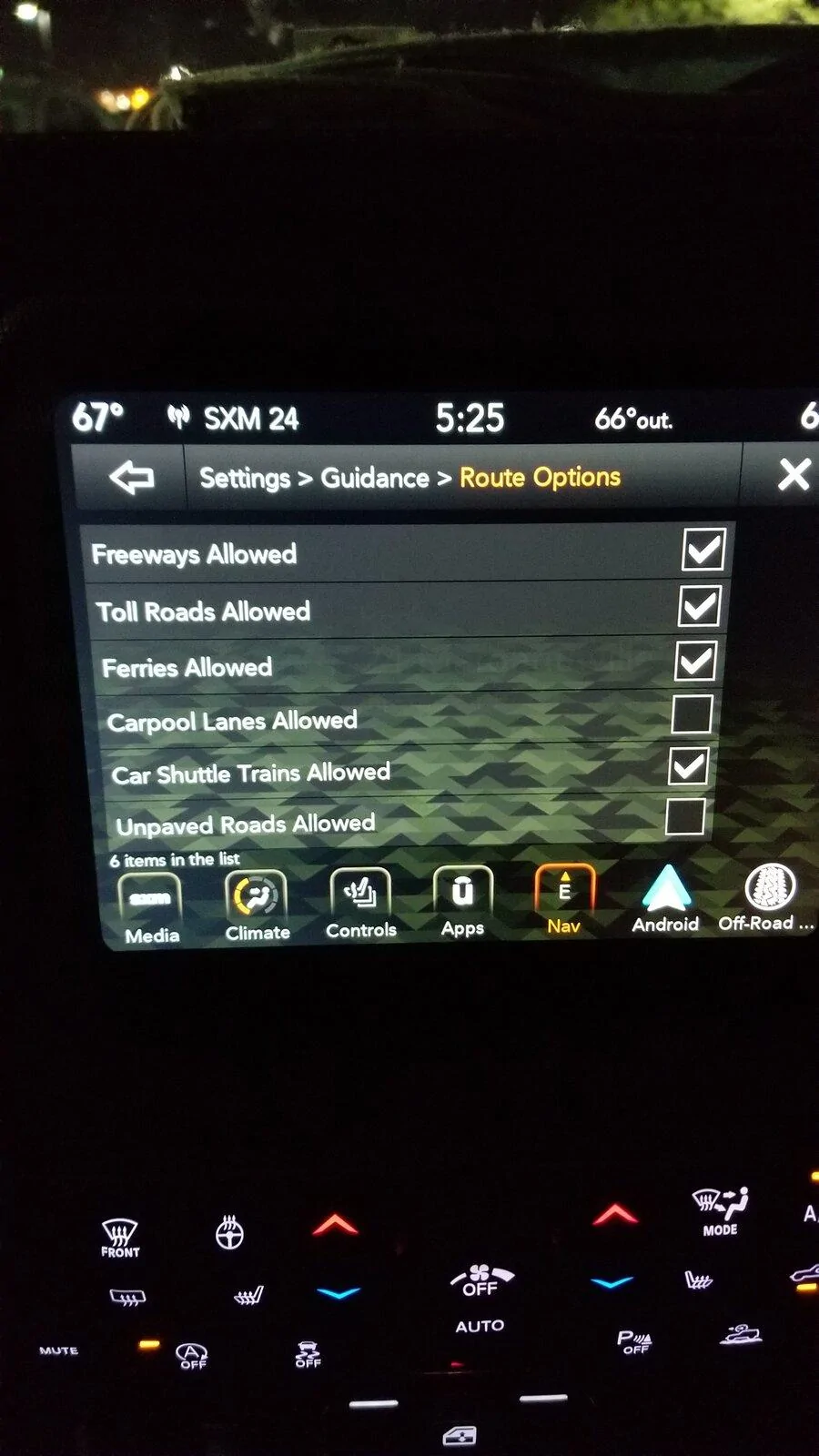
Hey everyone got a silly question. My GPS somehow got set to street only and dose not like freeways, I’ve looked everywhere to find how to change it, and I can’t seem to locate it. I’m willing to rest to default if that’s what’s needed but I can’t find that either. Anyone know how to change this?
Also, when using XM, I have favorites set, and sometimes I’ll get the notification that one of my songs are playing, and when I click it, it’s empty. What are these gremlins up too ?? Can this be fixed?
thank you!
Also, when using XM, I have favorites set, and sometimes I’ll get the notification that one of my songs are playing, and when I click it, it’s empty. What are these gremlins up too ?? Can this be fixed?
thank you!
Sponsored