Mad Jasper
Well-Known Member
- Thread starter
- #1
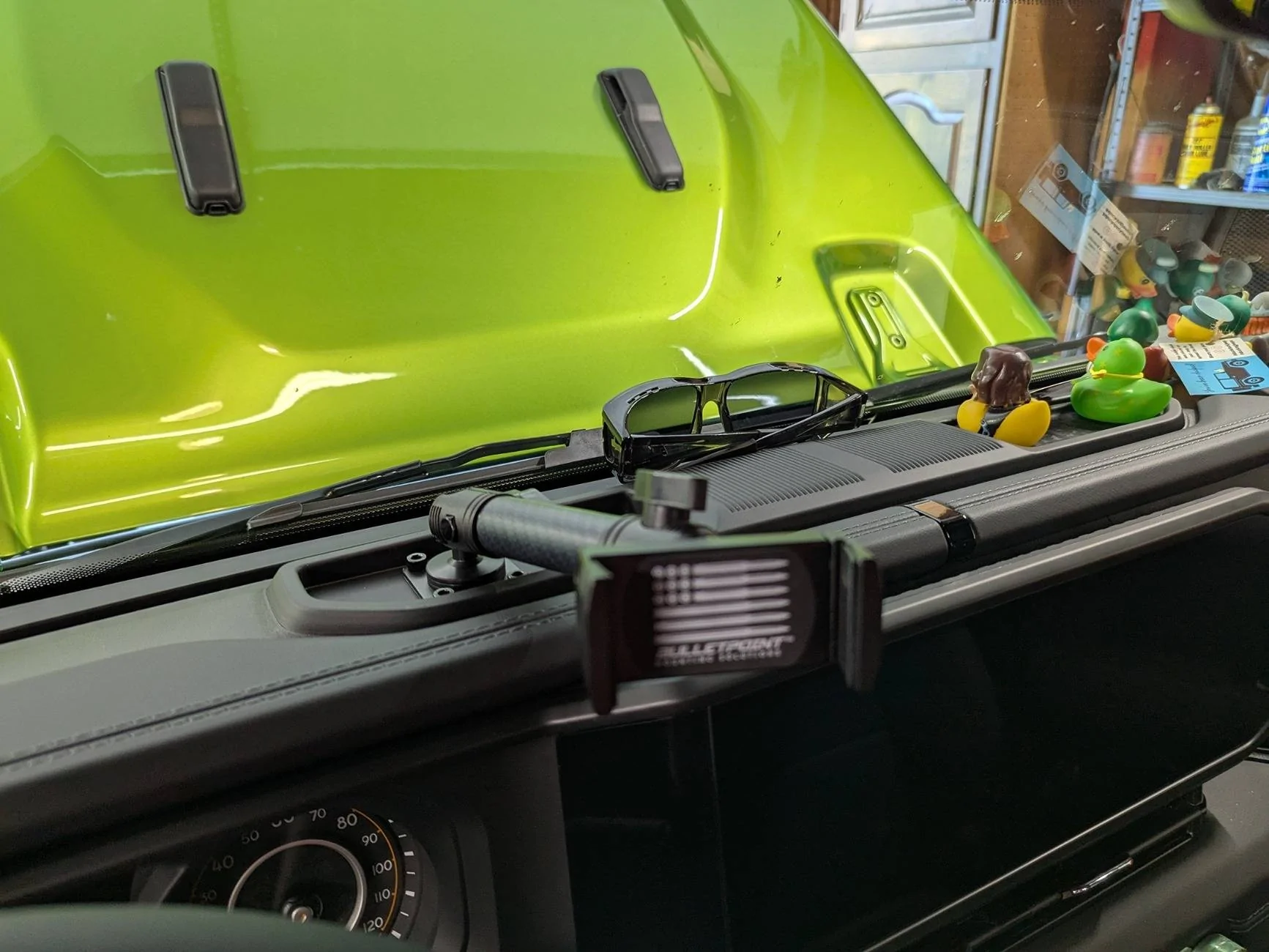
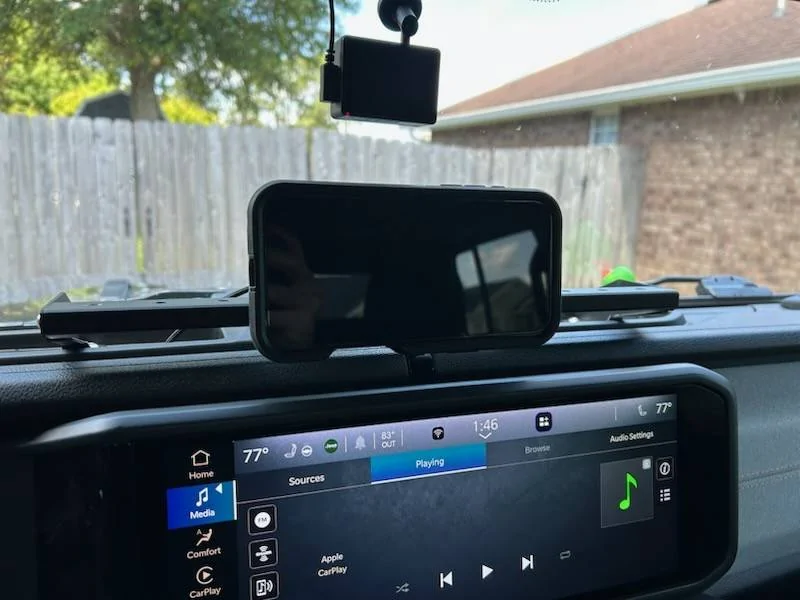
From the moment I drove the truck of the lot I knew that I wanted to add wireless changing, but I wasn't sure how accomplish it. I basically had two requirements:
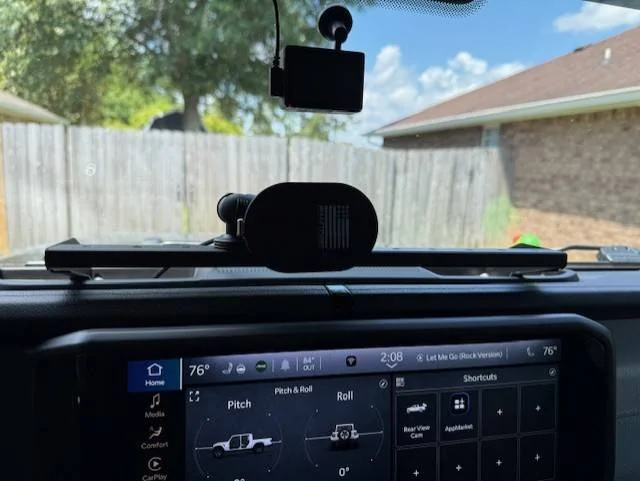
1) Minimal impact to windshield visibility
2) Cannot block the infotainment screen
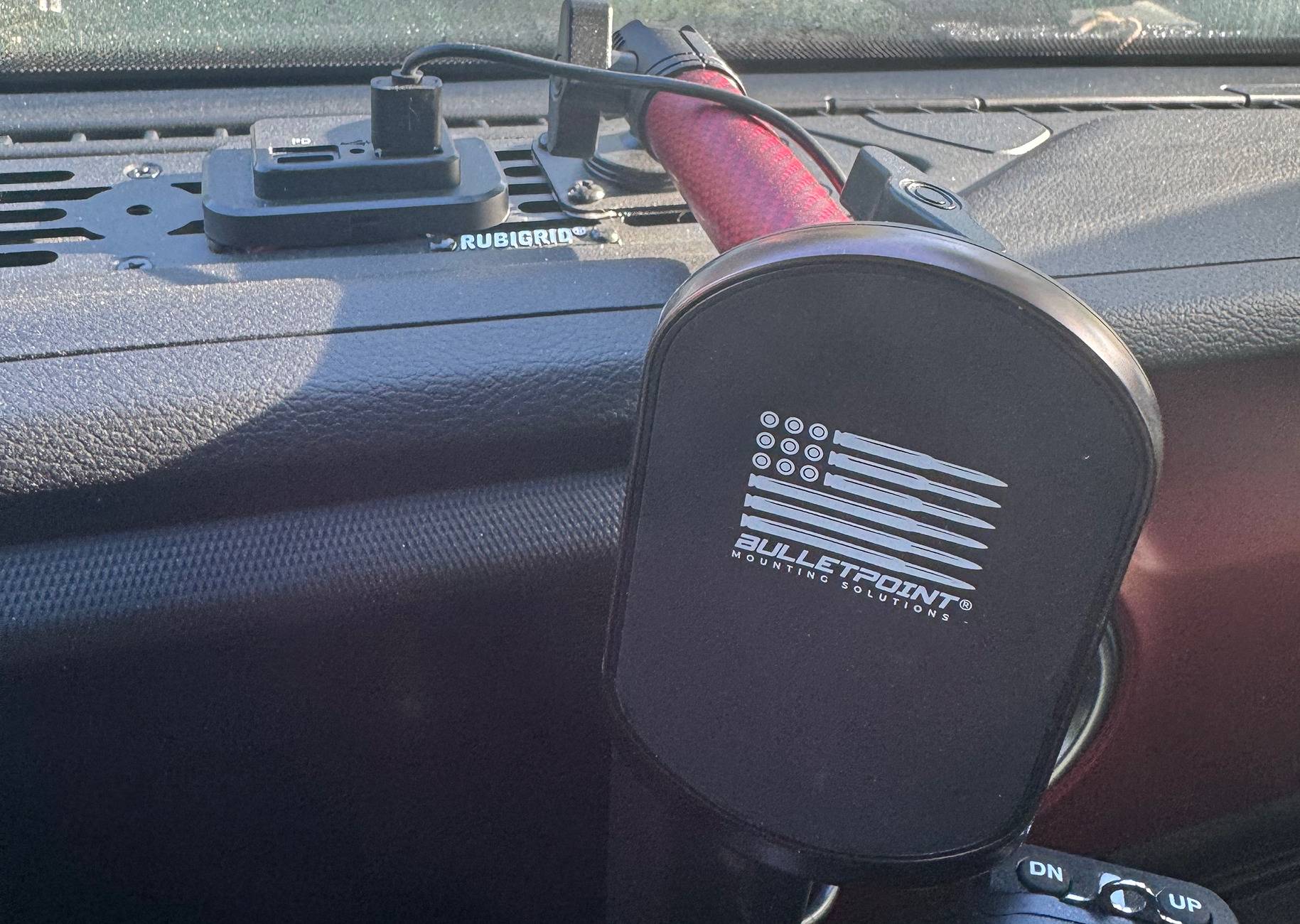
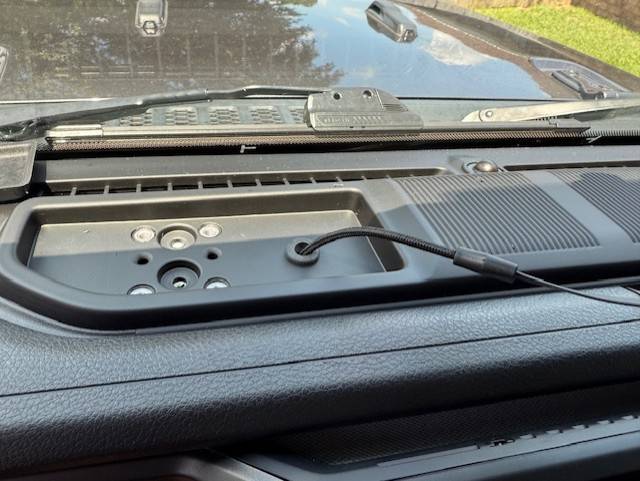
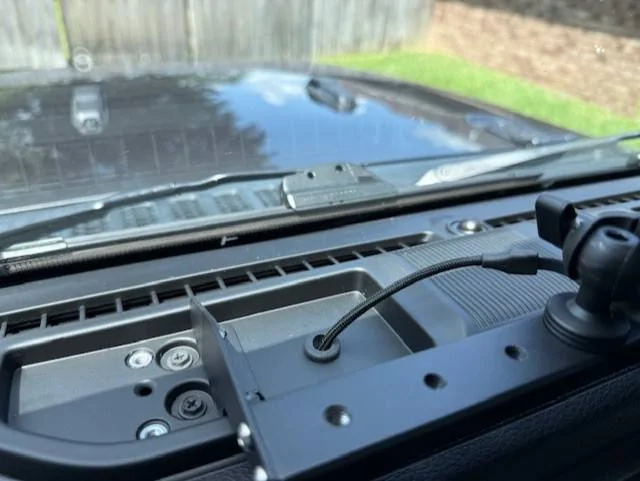
Bulletpoint seemed the best way to go, but the ball mounts were a bit low and I was concerned that the hump on the dash tray would be an issue. After days of researching, I discovered this mount stand by RT-TCZ.
https://rt-tcz.com/products/rt-tcz-...-ufq0h3ZuB5zH4aEa3jVeYnf0zwrZEOdZfUV2GLqjPSA4
Additionally, I purchased Bulletpoint MagSafe wireless charger, mini mount arm, and an AMPS compatible ball mount.
https://www.bulletpointmountingsolutions.com/collections/accessories
I had previously picked up a USB-C to USB-C Right Angle cable from Amazon so that I can keep the media panel closed. I connected the right angle side to the Bulletpoint wireless charger so that I didn't have an unsightly connector extending from the charger.
https://www.amazon.com/dp/B0CN645NJ3?ref=ppx_yo2ov_dt_b_fed_asin_title&th=1
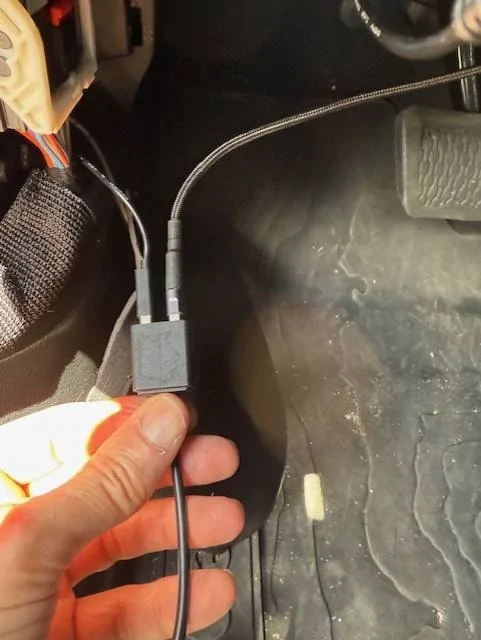
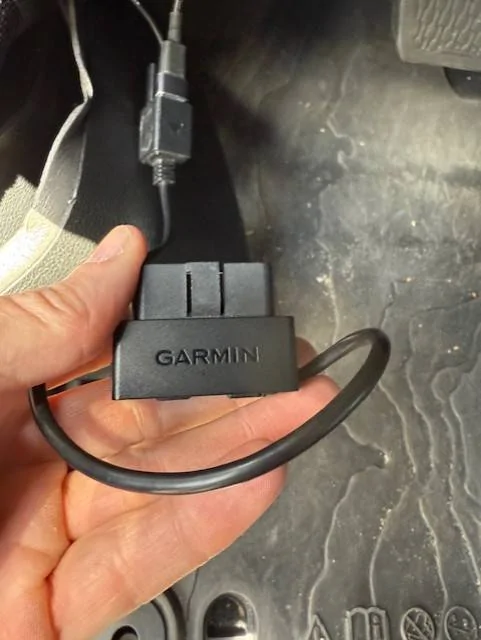
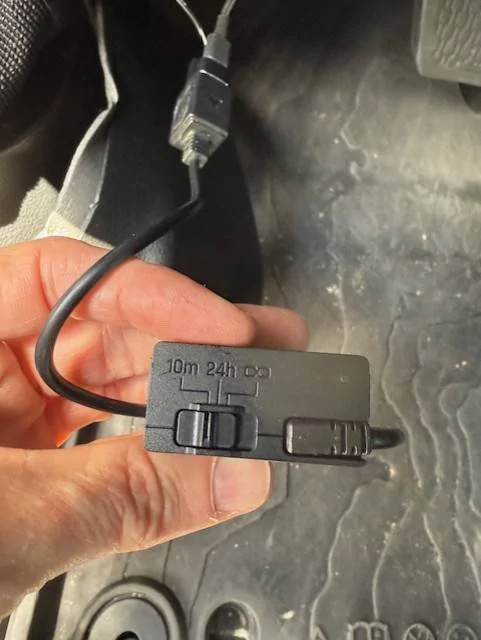
To power my dash cam, I use a Garmin Constant Power OBD-II Port for power. The dual USB ports are useful in this scenario.
https://www.amazon.com/Garmin-Constant-Compatible-Vehicles-OBD-II/dp/B094Y3KNFJ?th=1
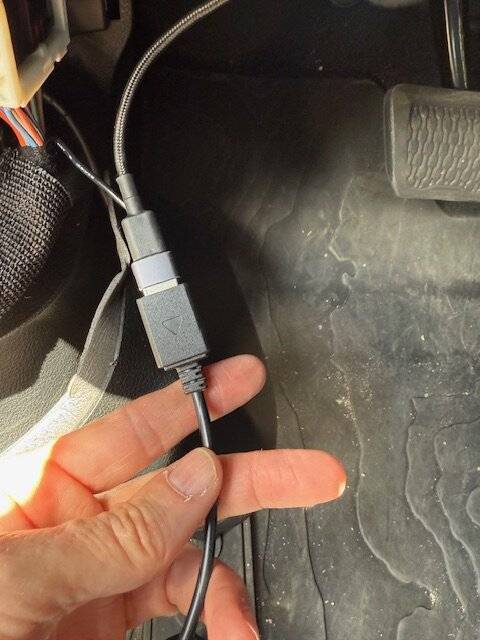
Lastly, I had to use an USB-C t0 USB 3.0 adapter to connect the USB cable to the Garmin USB port. This would not be necessary if I had an USB-C to USB 3.0 on hand.
https://www.amazon.com/Adapter-Anke...=1745956124&sprefix=USB+A+to+C,aps,125&sr=8-3
Fishing the cable down from the top of the dash was easier than I thought. Remove the plastic trim under the steering wheel and you can easily get your hand up to grab the cable. Installation took less than 30 minutes.
In the next week or two, I will add powered dual USB ports to the dash in place of the single cable for versatility. Also, the MagSafe charger seems secure enough for daily driving, but more support would be needed for off roading. I'm not sure how I will mitigate that as of yet.


1) Minimal impact to windshield visibility
2) Cannot block the infotainment screen
Bulletpoint seemed the best way to go, but the ball mounts were a bit low and I was concerned that the hump on the dash tray would be an issue. After days of researching, I discovered this mount stand by RT-TCZ.
https://rt-tcz.com/products/rt-tcz-...-ufq0h3ZuB5zH4aEa3jVeYnf0zwrZEOdZfUV2GLqjPSA4
Additionally, I purchased Bulletpoint MagSafe wireless charger, mini mount arm, and an AMPS compatible ball mount.
https://www.bulletpointmountingsolutions.com/collections/accessories
I had previously picked up a USB-C to USB-C Right Angle cable from Amazon so that I can keep the media panel closed. I connected the right angle side to the Bulletpoint wireless charger so that I didn't have an unsightly connector extending from the charger.
https://www.amazon.com/dp/B0CN645NJ3?ref=ppx_yo2ov_dt_b_fed_asin_title&th=1
To power my dash cam, I use a Garmin Constant Power OBD-II Port for power. The dual USB ports are useful in this scenario.
https://www.amazon.com/Garmin-Constant-Compatible-Vehicles-OBD-II/dp/B094Y3KNFJ?th=1
Lastly, I had to use an USB-C t0 USB 3.0 adapter to connect the USB cable to the Garmin USB port. This would not be necessary if I had an USB-C to USB 3.0 on hand.
https://www.amazon.com/Adapter-Anke...=1745956124&sprefix=USB+A+to+C,aps,125&sr=8-3
Fishing the cable down from the top of the dash was easier than I thought. Remove the plastic trim under the steering wheel and you can easily get your hand up to grab the cable. Installation took less than 30 minutes.
In the next week or two, I will add powered dual USB ports to the dash in place of the single cable for versatility. Also, the MagSafe charger seems secure enough for daily driving, but more support would be needed for off roading. I'm not sure how I will mitigate that as of yet.
Sponsored