

DailyDrivenTJ
Well-Known Member
- Thread starter
- #1
As simple as it may sound, you will realize when you try to remove the PCM/ECU from the diesel Gladiator, that you will find the 4 nuts holding the PCM is near impossible to undo due to the limited access.

Have searched online and there is no write up but scattered information about people mentioning about removing the bracket that is holding the PCM to remove the computer.
While that statement is true, it took me some time trying figure out how remove the bracket out of the vehicle because there are multiple things around the PCM and its bracket.

All the arrows indicate all the hardware such as bolts, nuts, and Christmas tree nut holding the cables and brackets around the PCM.
The PCM harness is removed by lifting and rotating locking lever on the top of the connector. You can muscle them away to make space.
There are two more bolts and a cable tie on the bottom of the bracket toward the battery side of the bracket. You can see the locations shown below. Notice the squiggly arrow shows the last cable bundle you need to undo from the bracket to remove the assembly. You probably notice that I have the battery removed. Yes, that is the ultimate trick that no one seems to offer. Remove the battery to remove the PCM bracket without the drama.


Once removed, you can get the PCM separated from the bracket by undoing 4 nuts.
HTH
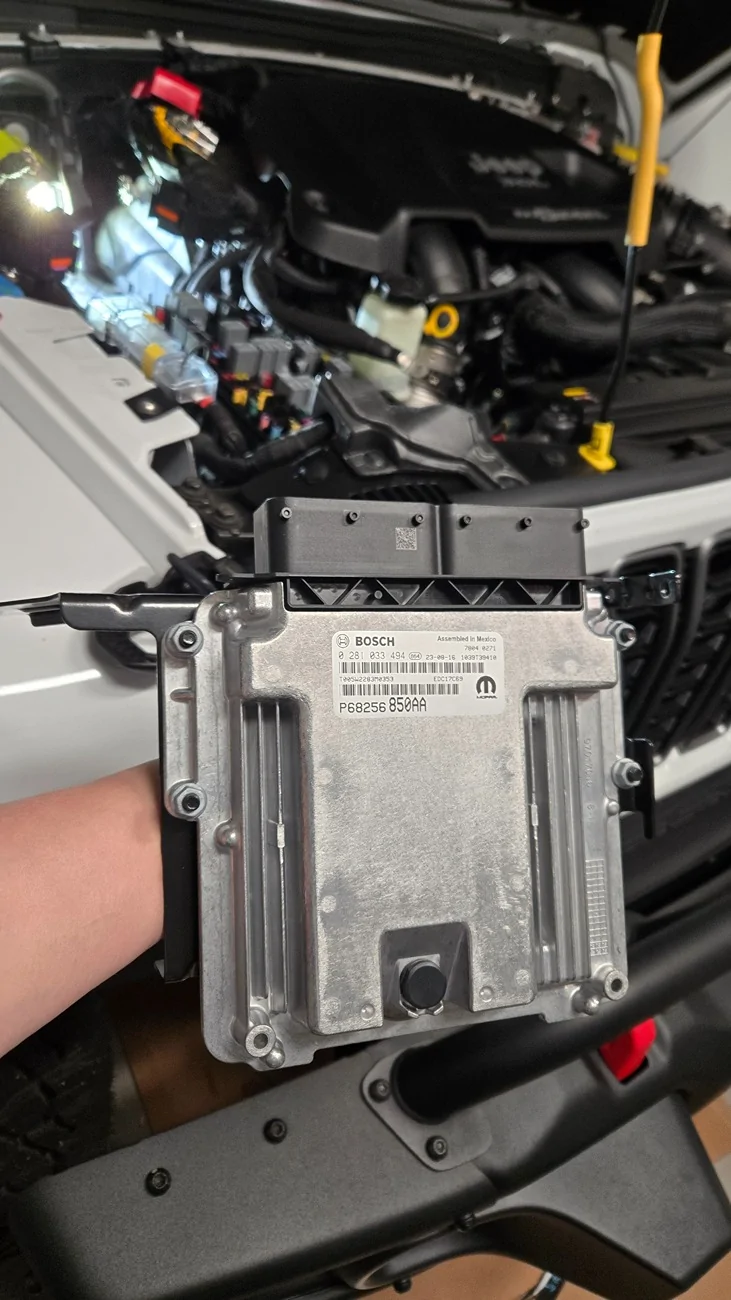
Have searched online and there is no write up but scattered information about people mentioning about removing the bracket that is holding the PCM to remove the computer.
While that statement is true, it took me some time trying figure out how remove the bracket out of the vehicle because there are multiple things around the PCM and its bracket.
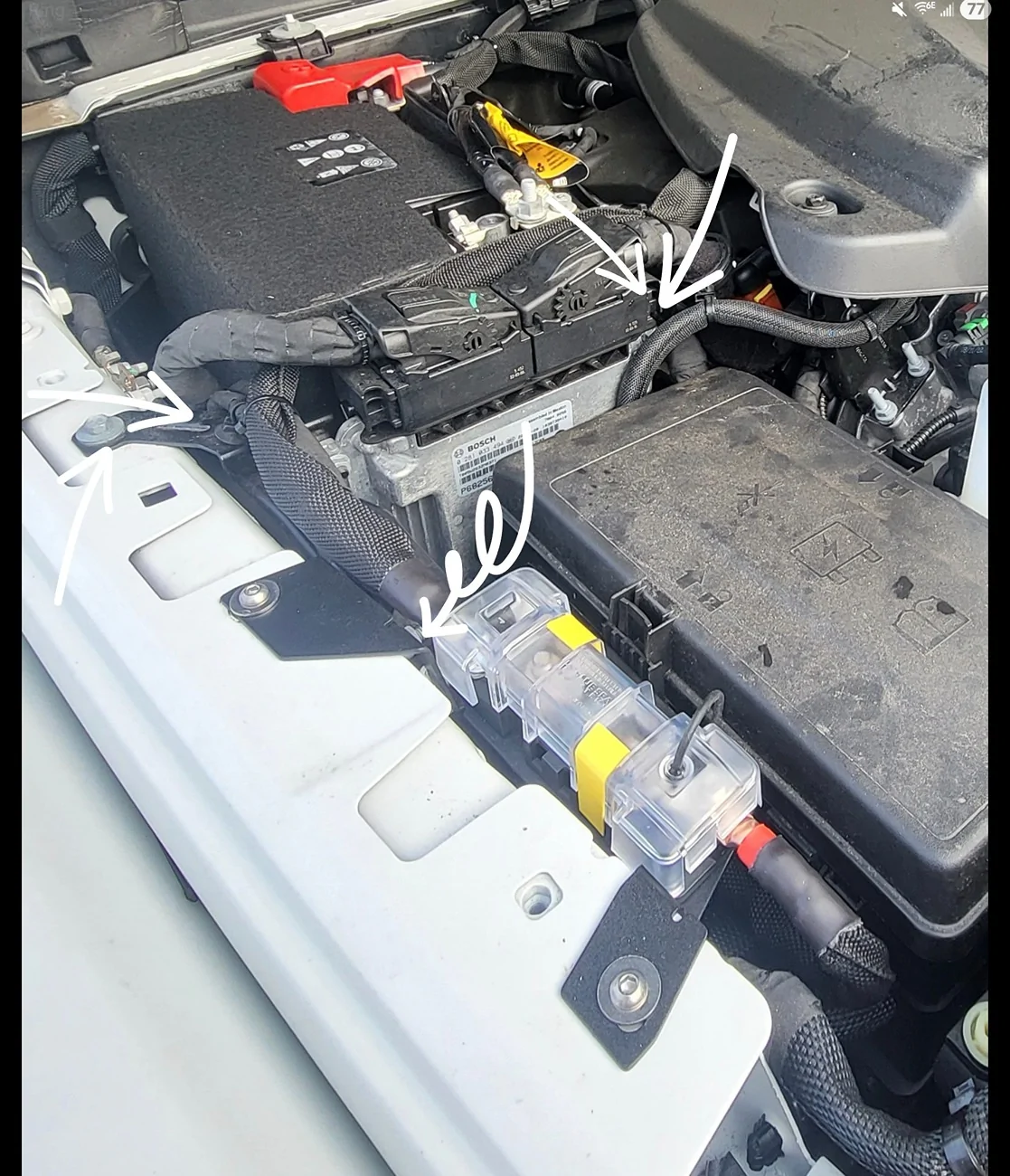
All the arrows indicate all the hardware such as bolts, nuts, and Christmas tree nut holding the cables and brackets around the PCM.
The PCM harness is removed by lifting and rotating locking lever on the top of the connector. You can muscle them away to make space.
There are two more bolts and a cable tie on the bottom of the bracket toward the battery side of the bracket. You can see the locations shown below. Notice the squiggly arrow shows the last cable bundle you need to undo from the bracket to remove the assembly. You probably notice that I have the battery removed. Yes, that is the ultimate trick that no one seems to offer. Remove the battery to remove the PCM bracket without the drama.
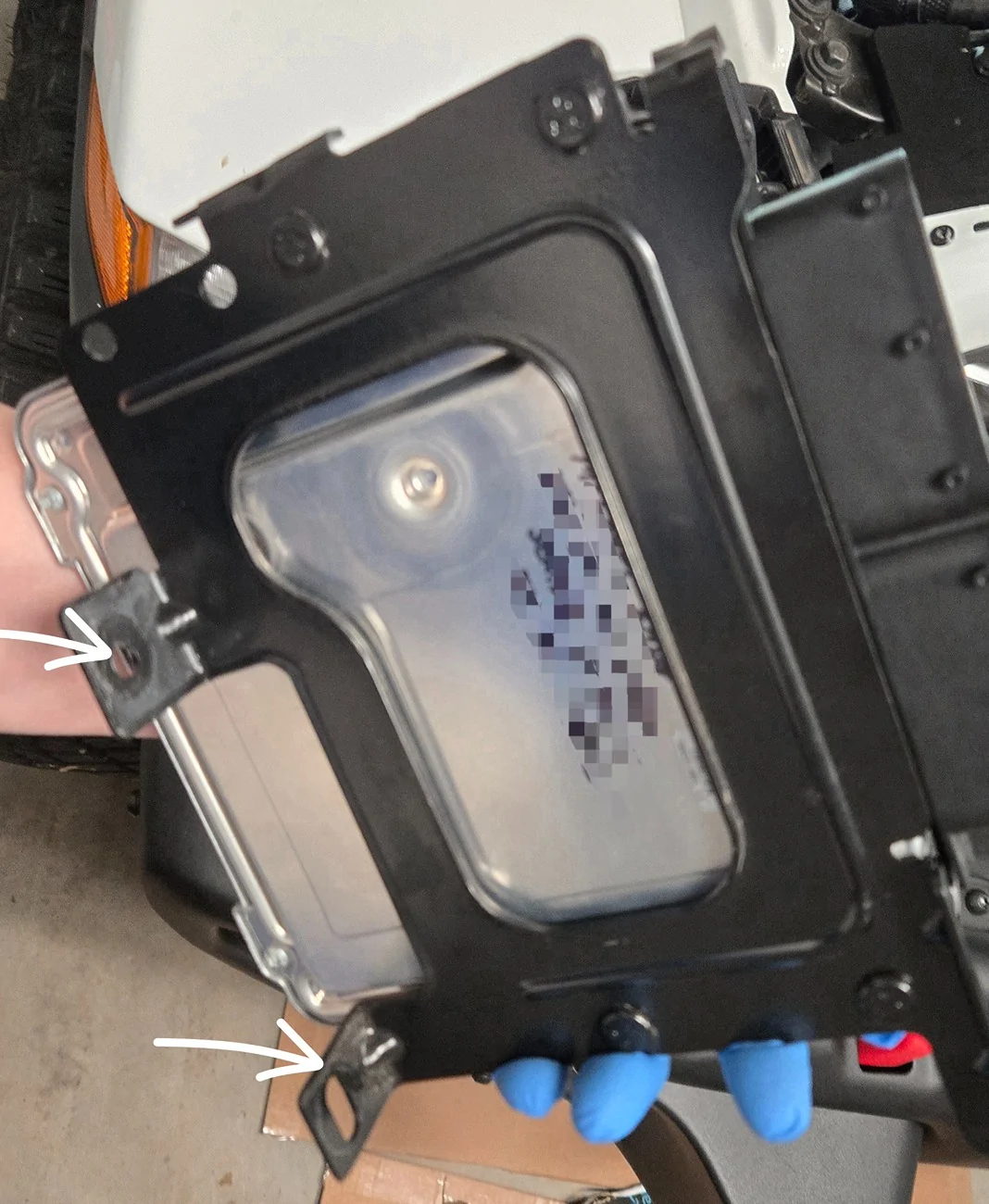
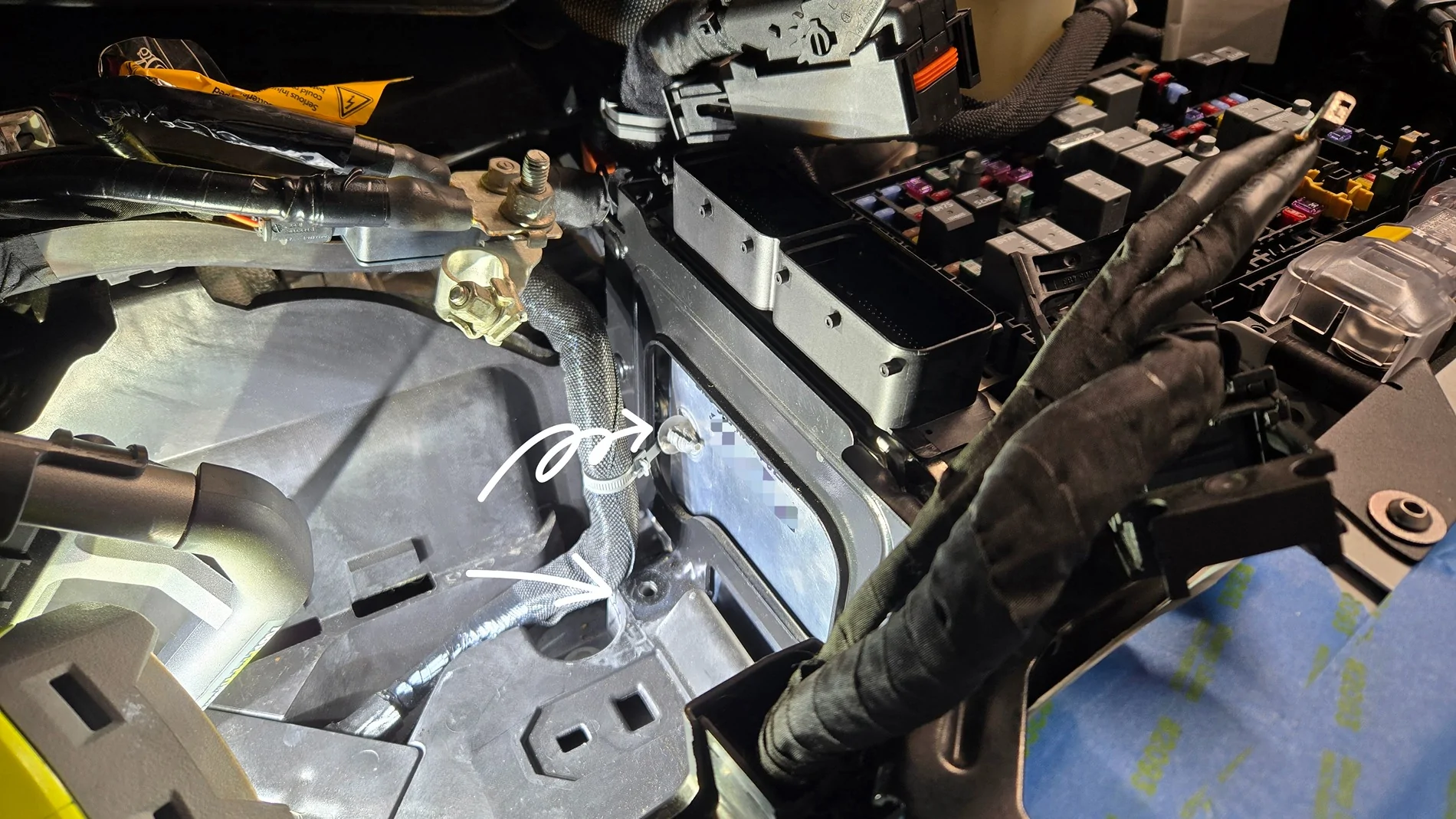
Once removed, you can get the PCM separated from the bracket by undoing 4 nuts.
HTH
Sponsored
Last edited:


