Sponsored

Log trail in nav?

Coyotesong

Well-Known Member
First Name
TJ
Joined
Dec 31, 2019
Threads
22
Messages
78
Reaction score
46
Location
USA
Vehicle(s)
2020 Gladiator
Is there a way to log a trail in navigation? From what I've read there's no way to rename a trail and it doesn't record offroad?
Sponsored

 
Last edited:

AEsco48

Well-Known Member
First Name
AndresE
Joined
Oct 12, 2020
Threads
61
Messages
355
Reaction score
176
Location
Denver, CO
Vehicle(s)
2021 Rubicon Diesel
Occupation
Mech Engineer/MBA/Entrepreneur

5chema

Well-Known Member
First Name
Mateo
Joined
Feb 14, 2019
Threads
5
Messages
389
Reaction score
576
Location
Quebec, Canada
Vehicle(s)
2020 Jeep Gladiator Rubicon Canada Launch Edition (1of419)
Vehicle Showcase
1
Better later than never...

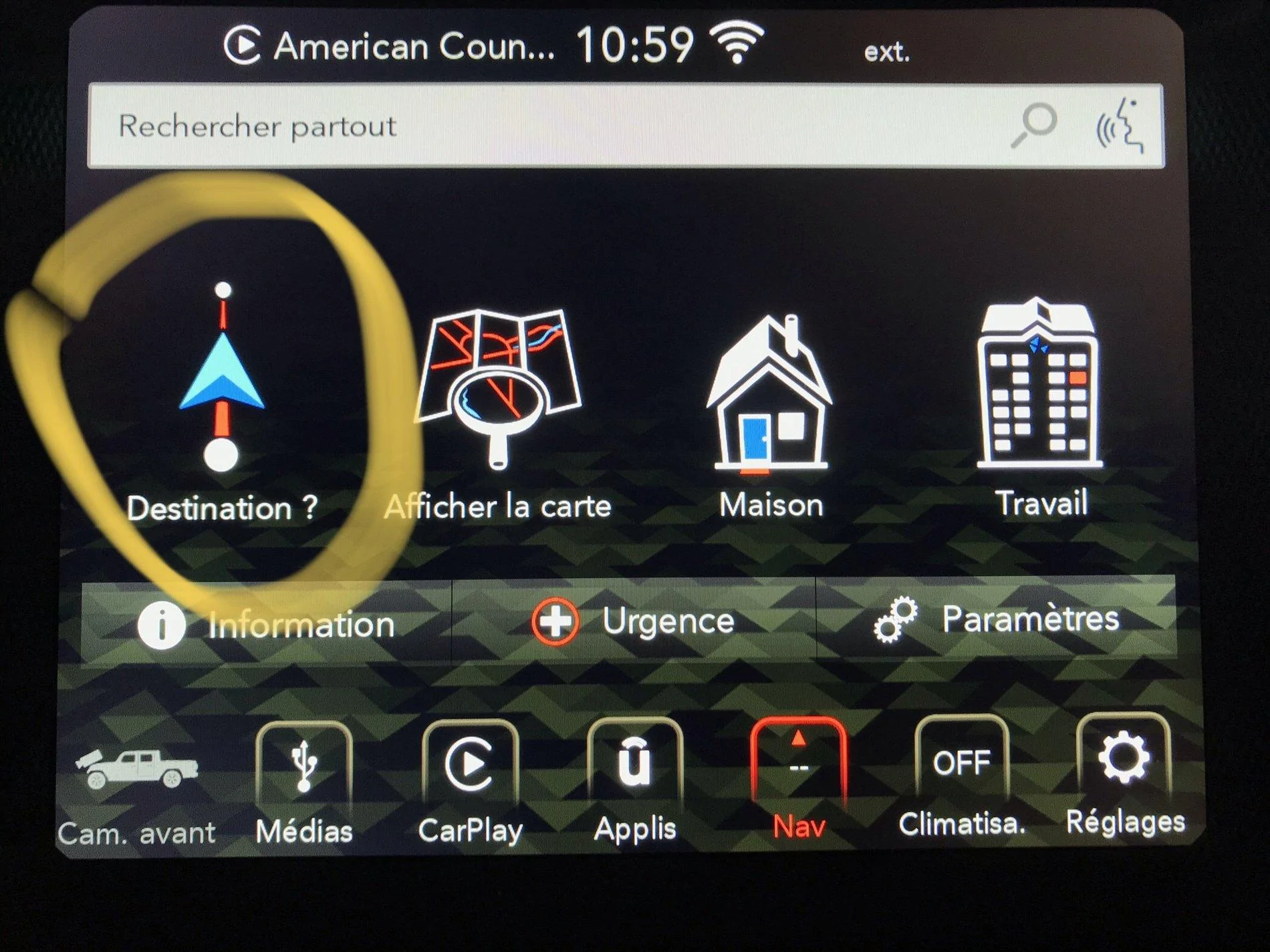
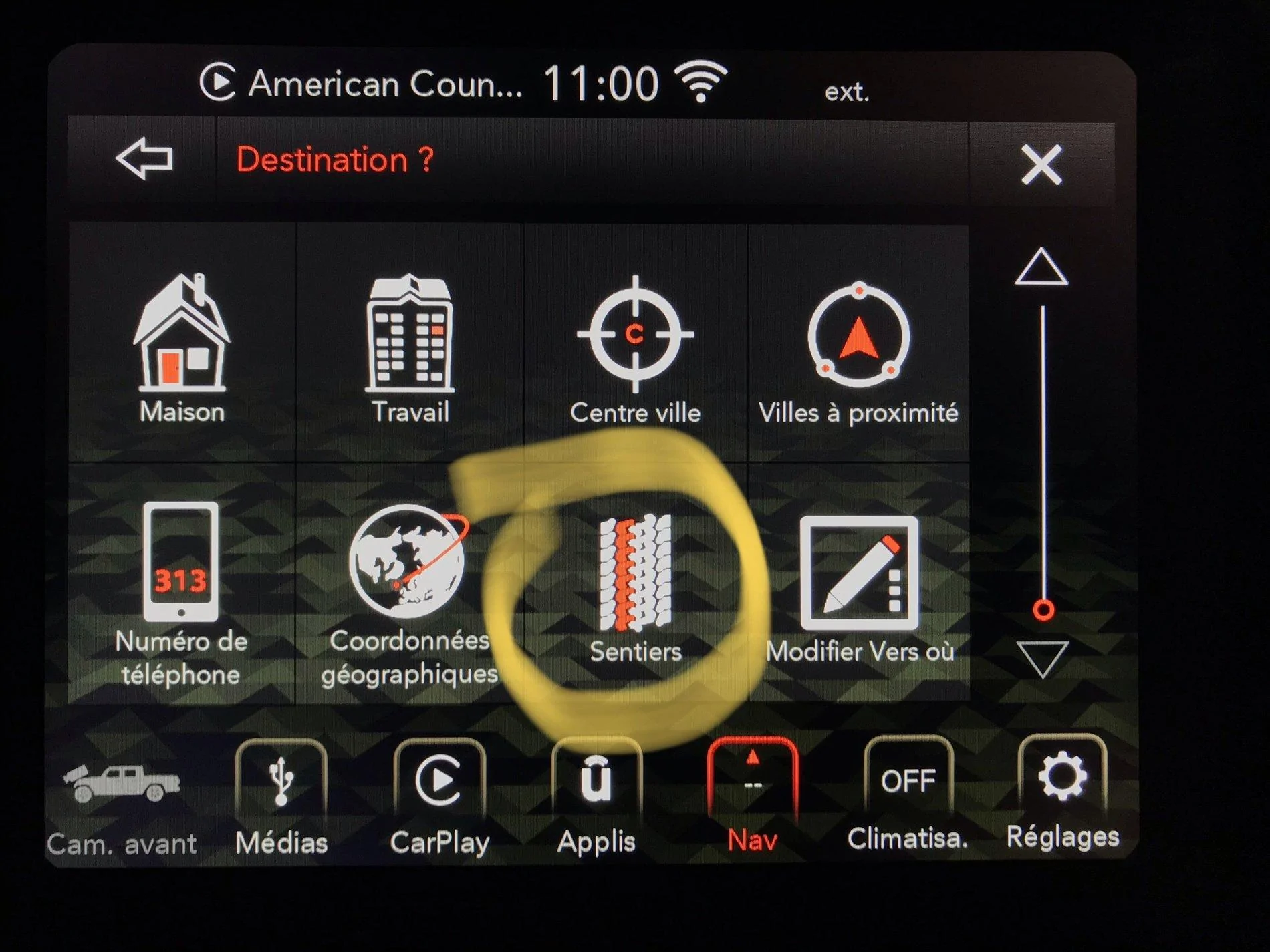
It’s in the Navigation, you can record off-road and you can rename. I made some screenshots because I was too lazy to set my Gladiator to English...

Jeep Gladiator Log trail in nav? 25986089-74C4-4F53-BA14-6B8AAF64FF52


Jeep Gladiator Log trail in nav? 19403C5B-CB4D-46E4-86FF-B869388A4B11


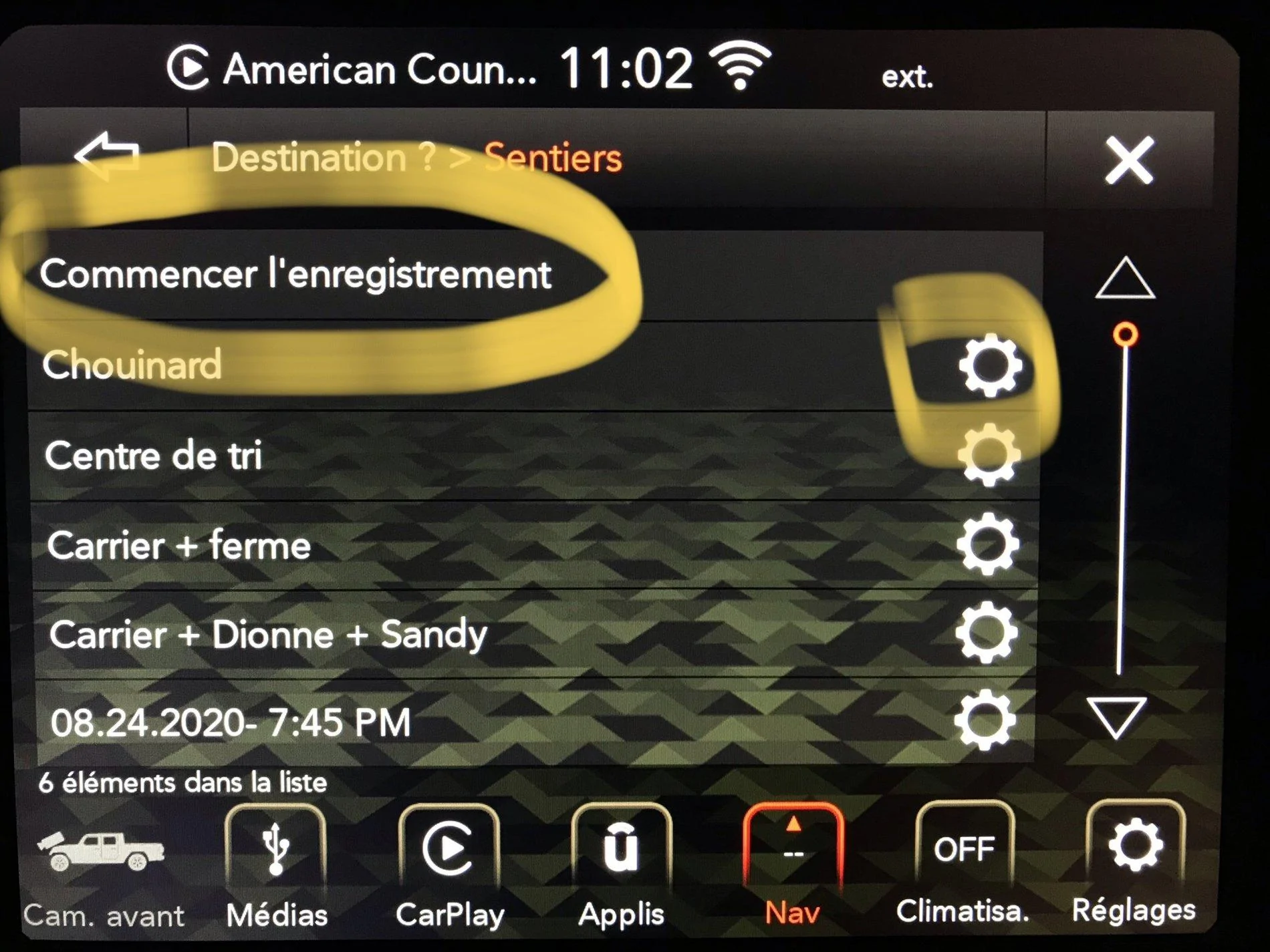
Then, you start the recording, and later, using the “gear” icon, you can rename it.

Jeep Gladiator Log trail in nav? 41655136-34EF-4796-9DDE-F9B3EEBD4B63
 

AEsco48

Well-Known Member
First Name
AndresE
Joined
Oct 12, 2020
Threads
61
Messages
355
Reaction score
176
Location
Denver, CO
Vehicle(s)
2021 Rubicon Diesel
Occupation
Mech Engineer/MBA/Entrepreneur
These can’t be exported to a computer for review and also while it’s recording it does not leave a bread crum tail on the map for you to review, right?
 

5chema

Well-Known Member
First Name
Mateo
Joined
Feb 14, 2019
Threads
5
Messages
389
Reaction score
576
Location
Quebec, Canada
Vehicle(s)
2020 Jeep Gladiator Rubicon Canada Launch Edition (1of419)
Vehicle Showcase
1
These can’t be exported to a computer for review and also while it’s recording it does not leave a bread crum tail on the map for you to review, right?
It’s effectively what I’ve experienced. I can’t find any detailed instructions in the printed manual or the on-screen guide.

So, it seems that you can only see the path at the end of the recording. Then you can rename and sort the saved paths or use them to get navigation directions to do the same travel either from the start or from the end.

Sponsored


Top