Sponsored

Flash or hard drive music format

HzrInAz

Active Member
First Name
Hollon
Joined
Aug 25, 2020
Threads
7
Messages
34
Reaction score
8
Location
Phoenix, Az.
Vehicle(s)
2020 Gladiator Sport S Max Tow
On my 2012 JK I had music play lists on a flash drive, and it seemed to work well. have music on a different hard drive and it shows an error on the media screen for my 2020 JT. Anyone know how to get this to work? What formats are compatible? How do I need to organize the folders etc?TIA
Sponsored
 
Joined
Apr 12, 2022
Threads
0
Messages
5
Reaction score
0
Location
USA
Vehicle(s)
Jeep Grand Cherokee
You can always check the compatibility of the formats by google; also, I no wonder that your music files formats are not compatible since the big difference in years. The technology of encryption mechanisms went to farm last decade. In your situation, I recommend you recover the lost files via recovery software or online recovery services like raid data recovery sites. After recovery, you can convert the files from the 2012 music playlist into the required format. If you get any questions regarding these processes, feel free to reach me in private messages.
 
Last edited:

Mr._Bill

Well-Known Member
First Name
Bill
Joined
Jul 22, 2019
Threads
38
Messages
6,647
Reaction score
7,727
Location
North Las Vegas, NV
Vehicle(s)
2023 Gladiator High Altitude - 2013 Nissan Leaf SV
Vehicle Showcase
1
There should be some older threads covering this. The USB flash drives work best in the default format (fat32?) and there can be issues seeing all the content on drives larger than 32GB.
 

Sponsored

Dude Bubba

New Member
First Name
JR
Joined
Oct 15, 2022
Threads
0
Messages
3
Reaction score
2
Location
Colorado
Vehicle(s)
2022 Gladiator Rubicon
Occupation
HW Sustaining Engineer
HI I am new to the forum. Just bought a 2022 Rubicon a couple of months ago. I have been reading posts in the Gladiator forum for the past few weeks. I thank the Gladiator community for all of the insights and know-how with these vehicles.

Use a USB, SDD, HDD or SD drive (micor-SD / SDHC card and usb reader) that is formatted in FAT32. The FAT32 file system formats out to 1TB and will be read by the Uconnect 8.4 C /
D system. Note FAT32 file system file size limit is 4G. Case in point, I had a portable 500GB USB HDD that was formatted in FAT32 and I had 180GB to 200GB of music (128k/256k bit MP3 and 48khz/16bit wave files) on it. It was used in my 2017 Jeep Grand Cherokee Tail Hawk (Uconnect 8.4a) without incident. It was placed in the bottom of the center console , connected to the center console USB port and left there for 4 years and played music all year round on road trips around the metro area, to the mountains, Illinois, and Ohio and back. Did the same with a 265 GB micro-SD card (uSD /SDHC) in the SD card slot of the Grand Cherokee. Both of these storage devices work in the 2022 Rubicon now in the USB ports. The SD card is attached to a SD card reader with a type C USB connector. Each one of these devices were active and playing music for first month I owned the Rubicon. I have since moved to a ruggedized SAMSUNG 1TB SSD which is connected to the type C USB port in the media center. And hidden in the center console. I have 280G of music files on that drive now (128/256/352k bit MP3s, 48/96 khz / 16 and 24 bit wav, and 192khz / 24 bit FLAC) digital music files stored on it and all play without issue on the Rubicon's Uconnect 8.4 C/D system. The FLAC and high bit rate (352 Kbps) MP3 ssound great.

Hope this helps.

LInk to Samsung Ruggedized portable SSD:
Amazon.com: SAMSUNG T7 Shield 1TB, Portable SSD, up to 1050MB/s, USB 3.2 Gen2, Rugged, IP65 Rated, for Photographers, Content Creators and Gaming, External Solid State Drive (MU-PE1T0S/AM, 2022), Black : Electronics
 

Curt Oz

Well-Known Member
First Name
Curt
Joined
Sep 21, 2022
Threads
1
Messages
187
Reaction score
178
Location
Freeburg
Vehicle(s)
2021 Gladiator Sport S
Occupation
Retired
I know this is a 2 year old post but looking for some help.
I have a 2021 Sport S with the 7 inch display and was trying to play music from a thumb drive via the usb port in the dash. Everywhere I've read on the internet says it should work.
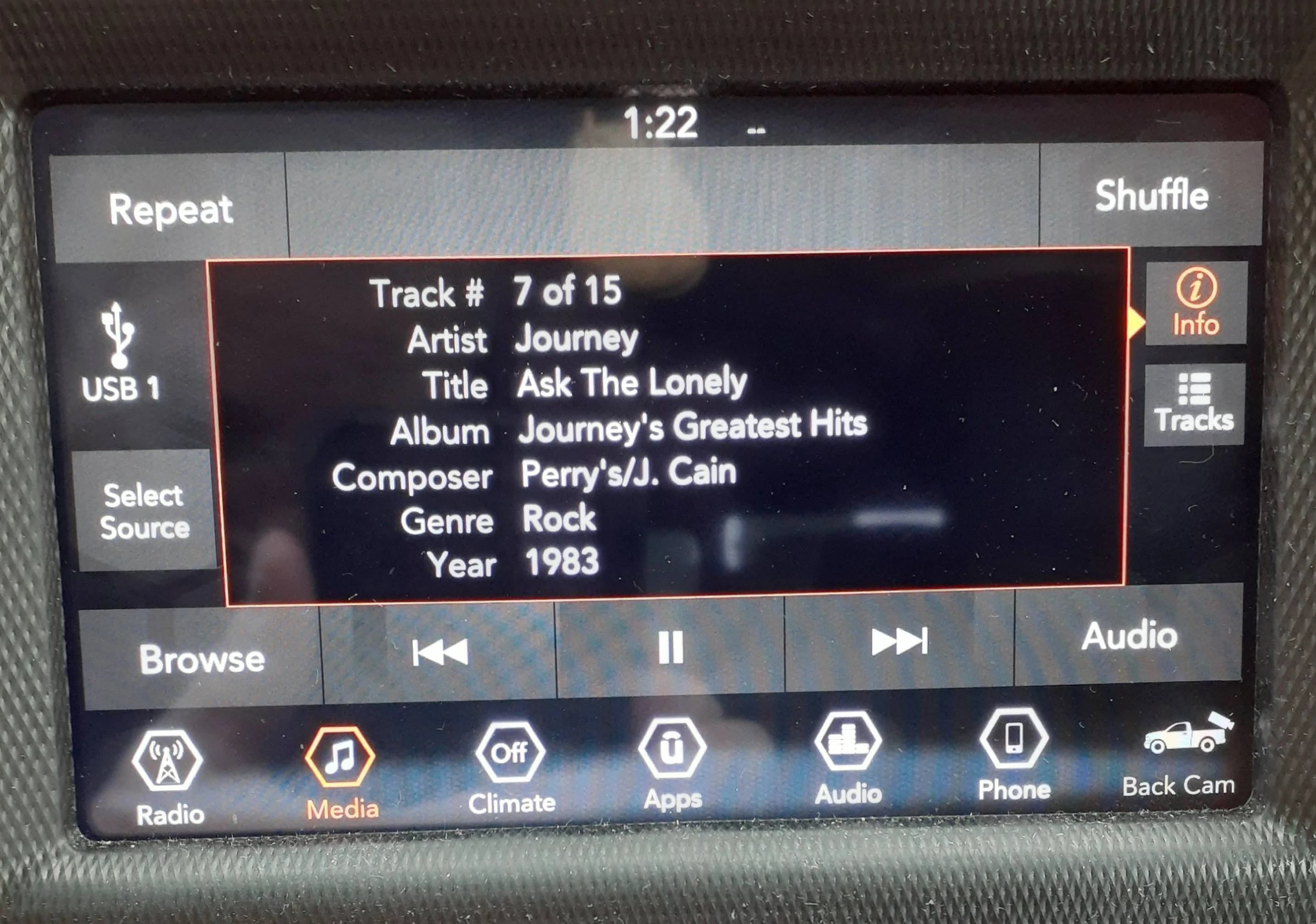
My music files are in a M4A fat32 format and the screen displays all the album information but won't play anything. I only have about 15 songs on the drive.
Thank for any input

Jeep Gladiator Flash or hard drive music format screen display
 

JETNC

Well-Known Member
Joined
Jan 5, 2023
Threads
1
Messages
49
Reaction score
45
Location
NC
Vehicle(s)
2021 Gladiator
Occupation
Customer Support Coordinator
Put a mp3 file on your thumbdrive and see if it plays.

Today I decided to try a thumbdrive in the media connection. I made a folder and dropped an albums worth of files in and I also loaded just 1 song not in a folder.

When my screen came up i could see the folder, and I could also see the single file down below it. Everything worked fine, including the playing songs from voice commands.

I also tried an old iPod, but the battery was low and I think that stopped it from working.
 

TroutFishingInAmerica

Well-Known Member
Joined
Jul 19, 2020
Threads
18
Messages
761
Reaction score
1,237
Location
The Great Pacific Northwest
Vehicle(s)
Mojave
HI I am new to the forum. Just bought a 2022 Rubicon a couple of months ago. I have been reading posts in the Gladiator forum for the past few weeks. I thank the Gladiator community for all of the insights and know-how with these vehicles.

Use a USB, SDD, HDD or SD drive (micor-SD / SDHC card and usb reader) that is formatted in FAT32. The FAT32 file system formats out to 1TB and will be read by the Uconnect 8.4 C /
D system. Note FAT32 file system file size limit is 4G. Case in point, I had a portable 500GB USB HDD that was formatted in FAT32 and I had 180GB to 200GB of music (128k/256k bit MP3 and 48khz/16bit wave files) on it. It was used in my 2017 Jeep Grand Cherokee Tail Hawk (Uconnect 8.4a) without incident. It was placed in the bottom of the center console , connected to the center console USB port and left there for 4 years and played music all year round on road trips around the metro area, to the mountains, Illinois, and Ohio and back. Did the same with a 265 GB micro-SD card (uSD /SDHC) in the SD card slot of the Grand Cherokee. Both of these storage devices work in the 2022 Rubicon now in the USB ports. The SD card is attached to a SD card reader with a type C USB connector. Each one of these devices were active and playing music for first month I owned the Rubicon. I have since moved to a ruggedized SAMSUNG 1TB SSD which is connected to the type C USB port in the media center. And hidden in the center console. I have 280G of music files on that drive now (128/256/352k bit MP3s, 48/96 khz / 16 and 24 bit wav, and 192khz / 24 bit FLAC) digital music files stored on it and all play without issue on the Rubicon's Uconnect 8.4 C/D system. The FLAC and high bit rate (352 Kbps) MP3 ssound great.

Hope this helps.

LInk to Samsung Ruggedized portable SSD:
Amazon.com: SAMSUNG T7 Shield 1TB, Portable SSD, up to 1050MB/s, USB 3.2 Gen2, Rugged, IP65 Rated, for Photographers, Content Creators and Gaming, External Solid State Drive (MU-PE1T0S/AM, 2022), Black : Electronics
Will you be my friend? LOL!
That's in your vehicle, I can't imagine your home library. Sweet.
 

Dude Bubba

New Member
First Name
JR
Joined
Oct 15, 2022
Threads
0
Messages
3
Reaction score
2
Location
Colorado
Vehicle(s)
2022 Gladiator Rubicon
Occupation
HW Sustaining Engineer
Just saw this yesterday. Hi, I am just scratching the surface of ripping my CDs and recording all my albums and cassette tapes. I have been digitizing my analog music catalog since 2009, here and there. BTW, I enjoy the Alpine Premium sound system in the Rubicon (I know a lot of folks don't like it as i've read on other threads on the forum) as I finally tweaked the three band EQ and balance /fade settings in the Uconnect to settle the bass down, add more treble, and use the fader to place more energy to the front speakers. I also enjoy trout fishing here in Colorado. Especially in Park and Larimer counties. Can't wait to get back out there this spring. Have a good day.
 

Sponsored

HopSlammer

Well-Known Member
First Name
Jay
Joined
Feb 2, 2020
Threads
0
Messages
1,692
Reaction score
7,141
Location
ILL-inois
Vehicle(s)
Jeep Gladiator Launch Edition
@Dude Bubba
Years ago my laptop died so I only got about half of my (large) CD collection converted. The replacement laptop doesn’t have CD or Blu-ray built in. Never got around to researching or buying an external player. Converting is very time consuming hence I lost the motivation. I’ll be soon downsizing to a smaller home base so I’d luv to hear any tips or info on streamlining the process of converting to digital.
 

Dude Bubba

New Member
First Name
JR
Joined
Oct 15, 2022
Threads
0
Messages
3
Reaction score
2
Location
Colorado
Vehicle(s)
2022 Gladiator Rubicon
Occupation
HW Sustaining Engineer
@HopSlammer
If using a laptop without an internal Blu-ray/CD drive you most certainly would have to purchase an external blu-ray / cd drive to get the bits off of the CD disks onto the laptop. And rip them at 128k bits per second - I prefer 256 kbits or 352 kbits for a decent conversion. I use Windows media player. It has worked for me over the years for converting the .WAV files on a CD into MP3 files. When I rip my CDs now I just convert it to a .wav format as that format maintains CD quality. The files are lager than MP3 format but the sound quality is better in my opinion. It all depends on how much storage you have on your portable devices I guess as to what format you convert your CDs to. I am using FLAC these days to convert my record /cassette tape collection to digital. I agree that the process is time consuming for sure and you have to dedicate time to it.
 

Y-Guy

Well-Known Member
First Name
Steve
Joined
Dec 30, 2022
Threads
12
Messages
2,437
Reaction score
11,171
Location
E. Washington
Vehicle(s)
2025 Gladiator Mojito! Mojave X
I'm sure similar apps are out there but I use one for my Mac called Export for iTunes that will save the files in multiple different acc or mp3 (compatible) formats. Best $8 I ever spent. With over 10,000 songs in my iTunes its a godsend for making traveling USB drives. Mostly I use my iPhone now, but having the USB means I never don't have access to music that I like.
Sponsored


Top