Sponsored

Uconnect Glitching

Janster

Well-Known Member
First Name
Jandy
Joined
Mar 27, 2024
Threads
43
Messages
2,006
Reaction score
3,077
Location
Lancaster, PA
Vehicle(s)
2024 Gladiator Mojave X
Occupation
Biller
I have had all kinds of glitchy behavior with the Uconnect in my ‘24. I usually use CarPlay. It works just fine in my ‘26 Durango work car.

Sometimes when I reboot it, the left icons don’t come back. It’s pretty weird.
Exactly....I stopped trying to keep track of all the 'weirdness' that occurs with it (2024).

It makes me wonder, since 2024 was the first year for 'Wireless' carplay - if there's more issues due to the wireless versus those who don't have the wireless. 🤔 I have more issues related to it being SLOW to connect to the phone, or late... I used to totally reboot my phone and that would fix everything. I've since discovered if I put my phone in airplane mode for a second or two, then back off.......the Uconnect connects immediately and things start working again just fine.

So.... is it my phone? Or something else?
Sponsored

 

IRAH

Member
First Name
Irah
Joined
Aug 6, 2026
Threads
0
Messages
12
Reaction score
19
Location
Chalk River, Ontario, Canada
Vehicle(s)
2026 Jeep Gladiator Sahara
Occupation
Reitred
It's hard to say. I've seen it happen with both android and iOS devices. As a dev I went through the iPhones Bluetooth and wifi logs, didnt see anything particularly wierd.

(Geek incoming)
To me it seems like a uConnect issue. It seems to happen randomly so some kind of 'event' is triggering it. It's also happening with Grand Cherokees and Rams with the vertical screen.

What I know:

-It happens with a CarPlay / Android auto connection, and it feels like the uConnect system is trying to put its GUI up and failing to understand the resolution of the screen its faced with and fails to load. Almost like when we used to ramp up the screen resolution on our pc's and it would fail and revert back after 15s. But it seems that uConnect doesn't have the ability to figure it out.

-A long poweroff cycle seems to clear it up, (cold boot) but a reboot (warm booting with power + tune buttons pressed) doesn't seem to affect it. That would hint that something is cleared from ram or initialized only on boot.

-Another reported way to 'fix' it is to hit the blower AUTO button or heat control. Which seems to force the GUI to initialise itself again- quickly. This would lead me to believe that the programming priorities HVAC commands over whatever is glitching. Which makes sense to me because HVAC works regardless of whatever the Radio is doing.

-Phones cross tested with a Ford system for troubleshooting.

What I don't know:

I can only attest to Carplay as I haven't ridden long enough with my android dev device to be able to test it out At length. So I dont know if wired/wireless makes a difference.

Im not familiar with how this system works in a network sense. There has to be a CANBUS tie in because it can display gauges and stuff but I dont think that would be it.

Im not familiar with how uConnect works at an OS level. I know it runs android, but not much further then that. Im still learning about android development.

TL;DR
Id be willing to say its definitely a uConnect issue and not a phone issue.
 

Vincent

Well-Known Member
First Name
Vincent
Joined
Oct 11, 2019
Threads
4
Messages
317
Reaction score
412
Location
46514
Vehicle(s)
2025 Mojave X
It's hard to say. I've seen it happen with both android and iOS devices. As a dev I went through the iPhones Bluetooth and wifi logs, didnt see anything particularly wierd.

(Geek incoming)
To me it seems like a uConnect issue. It seems to happen randomly so some kind of 'event' is triggering it. It's also happening with Grand Cherokees and Rams with the vertical screen.

What I know:

-It happens with a CarPlay / Android auto connection, and it feels like the uConnect system is trying to put its GUI up and failing to understand the resolution of the screen its faced with and fails to load. Almost like when we used to ramp up the screen resolution on our pc's and it would fail and revert back after 15s. But it seems that uConnect doesn't have the ability to figure it out.

-A long poweroff cycle seems to clear it up, (cold boot) but a reboot (warm booting with power + tune buttons pressed) doesn't seem to affect it. That would hint that something is cleared from ram or initialized only on boot.

-Another reported way to 'fix' it is to hit the blower AUTO button or heat control. Which seems to force the GUI to initialise itself again- quickly. This would lead me to believe that the programming priorities HVAC commands over whatever is glitching. Which makes sense to me because HVAC works regardless of whatever the Radio is doing.

-Phones cross tested with a Ford system for troubleshooting.

What I don't know:

I can only attest to Carplay as I haven't ridden long enough with my android dev device to be able to test it out At length. So I dont know if wired/wireless makes a difference.

Im not familiar with how this system works in a network sense. There has to be a CANBUS tie in because it can display gauges and stuff but I dont think that would be it.

Im not familiar with how uConnect works at an OS level. I know it runs android, but not much further then that. Im still learning about android development.

TL;DR
Id be willing to say its definitely a uConnect issue and not a phone issue.
Good info! I will say, I’ve tested the Auto button theory and in my case it wasn’t effective in re-initializing the interface. It’s not until after a vehicle has been turned off for a long period of time that it’ll reset, and that’s maybe only 90% of the time. It seems to me that there’s something corrupted.
 

sheath

Well-Known Member
First Name
Scott
Joined
Jul 13, 2026
Threads
5
Messages
55
Reaction score
92
Location
Utah
Vehicle(s)
'25 Gladiator Rubicon-X
On the first head unit I went into the version screen. Uconnect appeared to be running a version of Linux. But it looks like an older Linux build. I haven't looked at this "exchange radio" version yet. That is something that should be a pretty quick ota update.

There are also issues with how TomTom interacts with UConnect. Seems like the TomTom-UConnect partnership is fairly new. Maybe still bugs with how the TomTom server real-time push updates affect the UConnect interface.
This would be an aside from the actual UConnect Navigation map updates.
 

WambliSka

Well-Known Member
Joined
Jul 12, 2022
Threads
12
Messages
453
Reaction score
871
Location
Nevada by the Grace of God 😎
Vehicle(s)
Jeep Gladiator Mojave X ‘26
Occupation
International Business Development
Again, at any given time there are between 100-150 unique smartphone models available in the USA and Apple itself will have 6-8 models actively sold to consumers at the same time. Factor in how/when people do or do not install their OpSys upgrades and quite frankly it’s a mystery to me how it works at all. I buy nothing but latest gen Apple products and keep them and my Jeep updated to latest OS and updates. No problems.
 

Sponsored

Vincent

Well-Known Member
First Name
Vincent
Joined
Oct 11, 2019
Threads
4
Messages
317
Reaction score
412
Location
46514
Vehicle(s)
2025 Mojave X
Again, at any given time there are between 100-150 unique smartphone models available in the USA and Apple itself will have 6-8 models actively sold to consumers at the same time. Factor in how/when people do or do not install their OpSys upgrades and quite frankly it’s a mystery to me how it works at all. I buy nothing but latest gen Apple products and keep them and my Jeep updated to latest OS and updates. No problems.
I'm fairly anal regarding getting the latest OS updates, whether it be my phone, PC, etc. I have WiFi in my garage, thus the Gladdy can auto-update when necessary. I recently turned off the auto update search for Wifi on the Uconnect and have turned off the auto-connect on CarPlay to see what happens.
 

LoneWolfUSMC

Well-Known Member
First Name
John
Joined
Feb 4, 2026
Threads
4
Messages
120
Reaction score
149
Location
Southern Indiana
Vehicle(s)
2024 Gladiator Rubicon
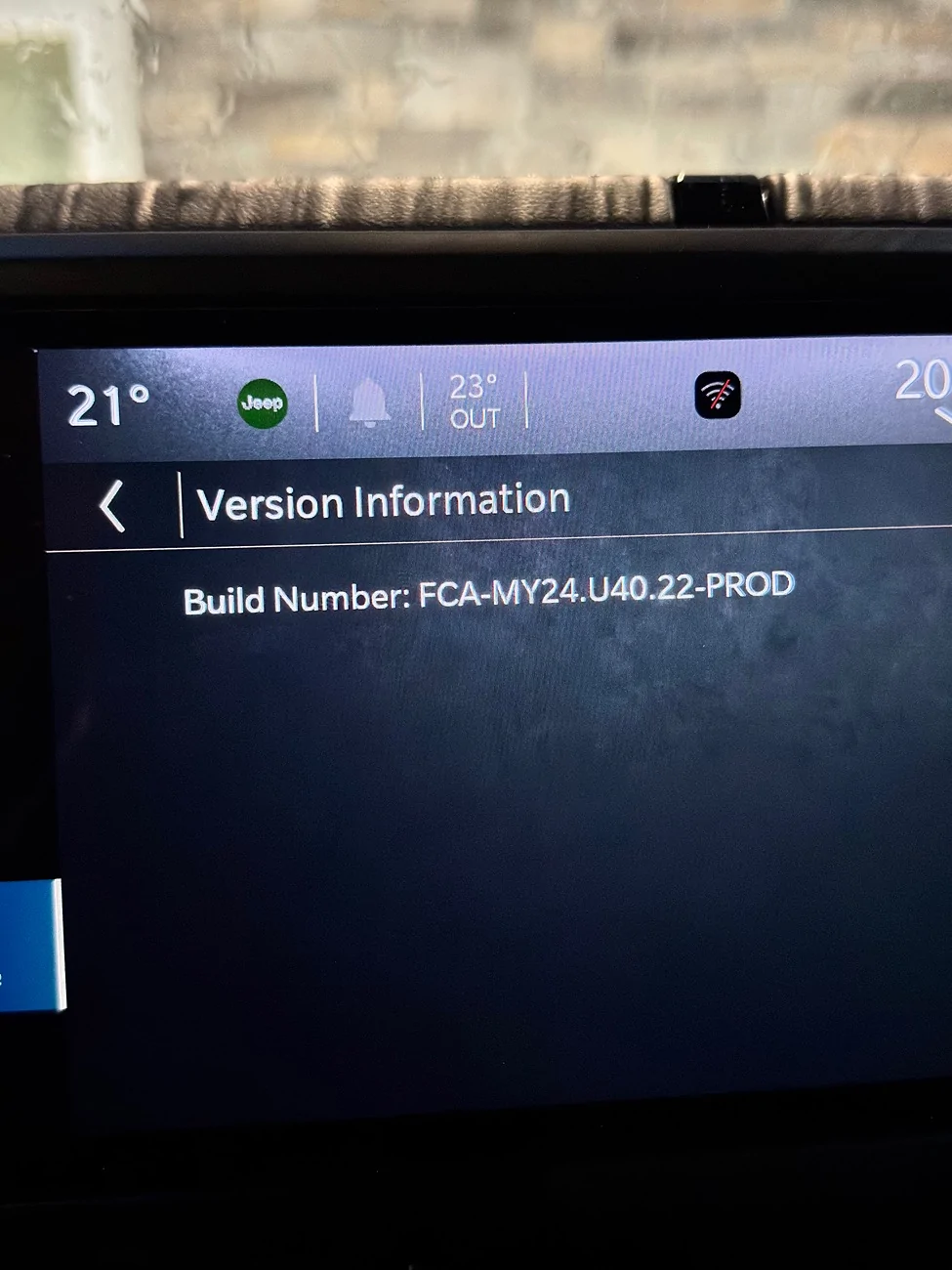
I left the WiFi updates on and connected to my home WiFi for a couple of days. I am still on FCA-MY24.U37.23-PROD so I believe that is the current. I turned the WiFi updates off yesterday before my road trip and didn’t have any glitches (audio clipping). I am definitely going to leave it off.

Now I just have to get it in for the rear camera. I an pretty sure that is a hardware issue, since tapping the camera causes it to come back and the connector is securely attached.
 

Cattywumpuss

Well-Known Member
First Name
Paul
Joined
Feb 13, 2026
Threads
20
Messages
394
Reaction score
515
Location
Anchorage, AK
Vehicle(s)
2026 Jeep Gladiator Sport S
FWIW:
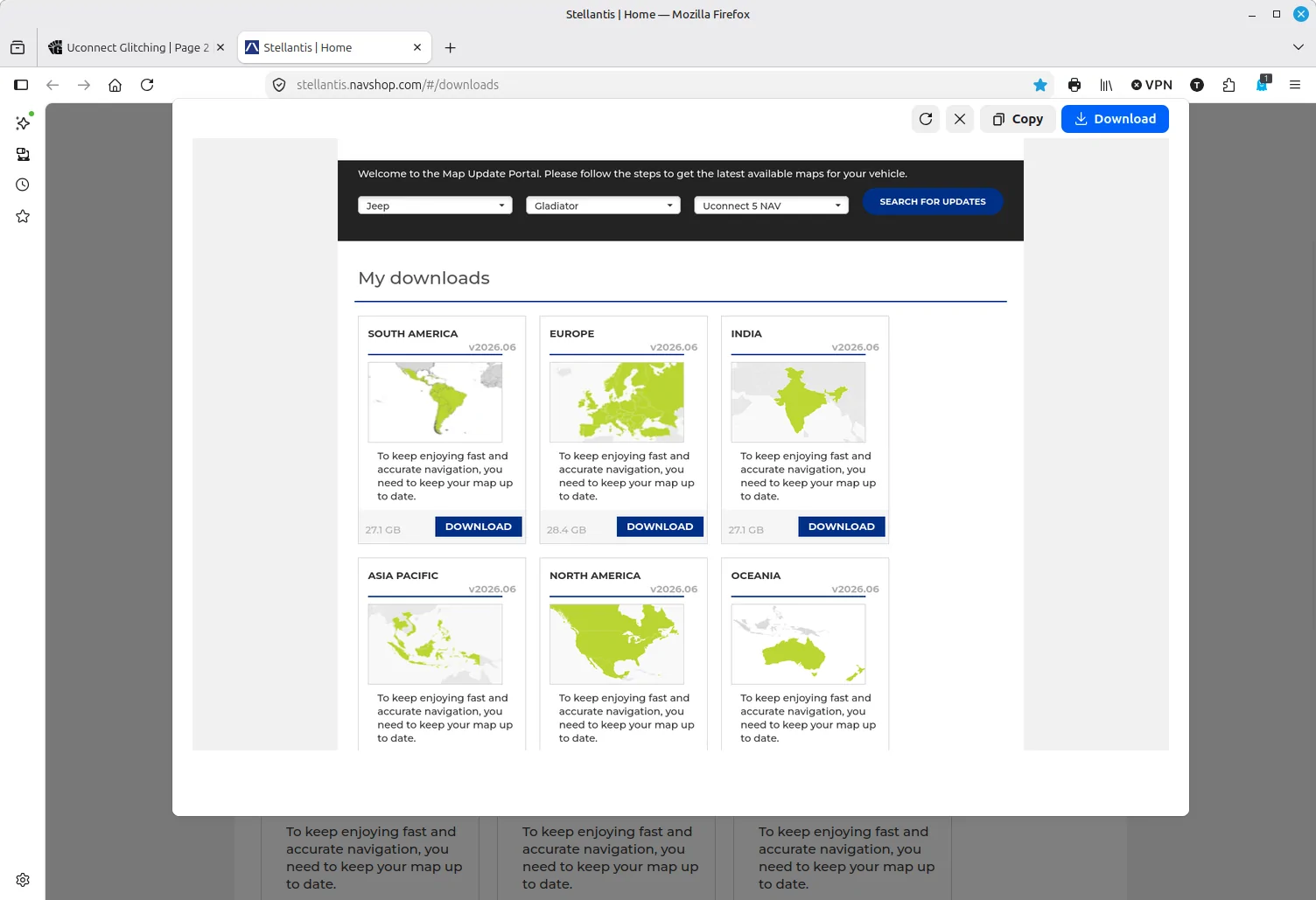
A member in another forum posted a link where map updates can be downloaded.
https://stellantis.navshop.com/#/downloads

Haven't tried this yet, but might be a work around for those of us having trouble with OTA map updates.
Hth,

Scott
Sadly that doesn’t work for newer models (2022+ I think) as some genius thought that trying to send Gigabyte downloads over the air was a good idea.

Given how slow so many cellular networks are the download takes forever and my Uconnect has got stuck trying to download and update now.

Having a USB thumb drive download option given that the JT has USB A and C ports would have been so much less hassle. But alas that’s not available to newer vehicle owners. So frustrating.
 

sheath

Well-Known Member
First Name
Scott
Joined
Jul 13, 2026
Threads
5
Messages
55
Reaction score
92
Location
Utah
Vehicle(s)
'25 Gladiator Rubicon-X
Sadly that doesn’t work for newer models (2022+ I think) as some genius thought that trying to send Gigabyte downloads over the air was a good idea.

Given how slow so many cellular networks are the download takes forever and my Uconnect has got stuck trying to download and update now.

Having a USB thumb drive download option given that the JT has USB A and C ports would have been so much less hassle. But alas that’s not available to newer vehicle owners. So frustrating.
Well that's a bummer. Got all excited when I put in the 2025 Gladiator and updates came up that could be downloaded.
I take it they can be downloaded, but no way to upload to the Jeep once on a thumb drive?
 

Sponsored

Wilder Bill

Member
First Name
Keith
Joined
Jun 10, 2026
Threads
0
Messages
6
Reaction score
6
Location
Tennessee
Vehicle(s)
Suzuki Jimny JB74
I left the WiFi updates on and connected to my home WiFi for a couple of days. I am still on FCA-MY24.U37.23-PROD so I believe that is the current. I turned the WiFi updates off yesterday before my road trip and didn’t have any glitches (audio clipping). I am definitely going to leave it off.

Now I just have to get it in for the rear camera. I an pretty sure that is a hardware issue, since tapping the camera causes it to come back and the connector is securely attached.
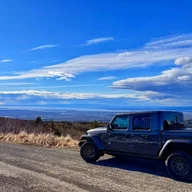
This is the version on an early MY26 Mojave that I’m driving:
Jeep Gladiator Uconnect Glitching IMG_2384
 

Cattywumpuss

Well-Known Member
First Name
Paul
Joined
Feb 13, 2026
Threads
20
Messages
394
Reaction score
515
Location
Anchorage, AK
Vehicle(s)
2026 Jeep Gladiator Sport S
Well that's a bummer. Got all excited when I put in the 2025 Gladiator and updates came up that could be downloaded.
I take it they can be downloaded, but no way to upload to the Jeep once on a thumb drive?
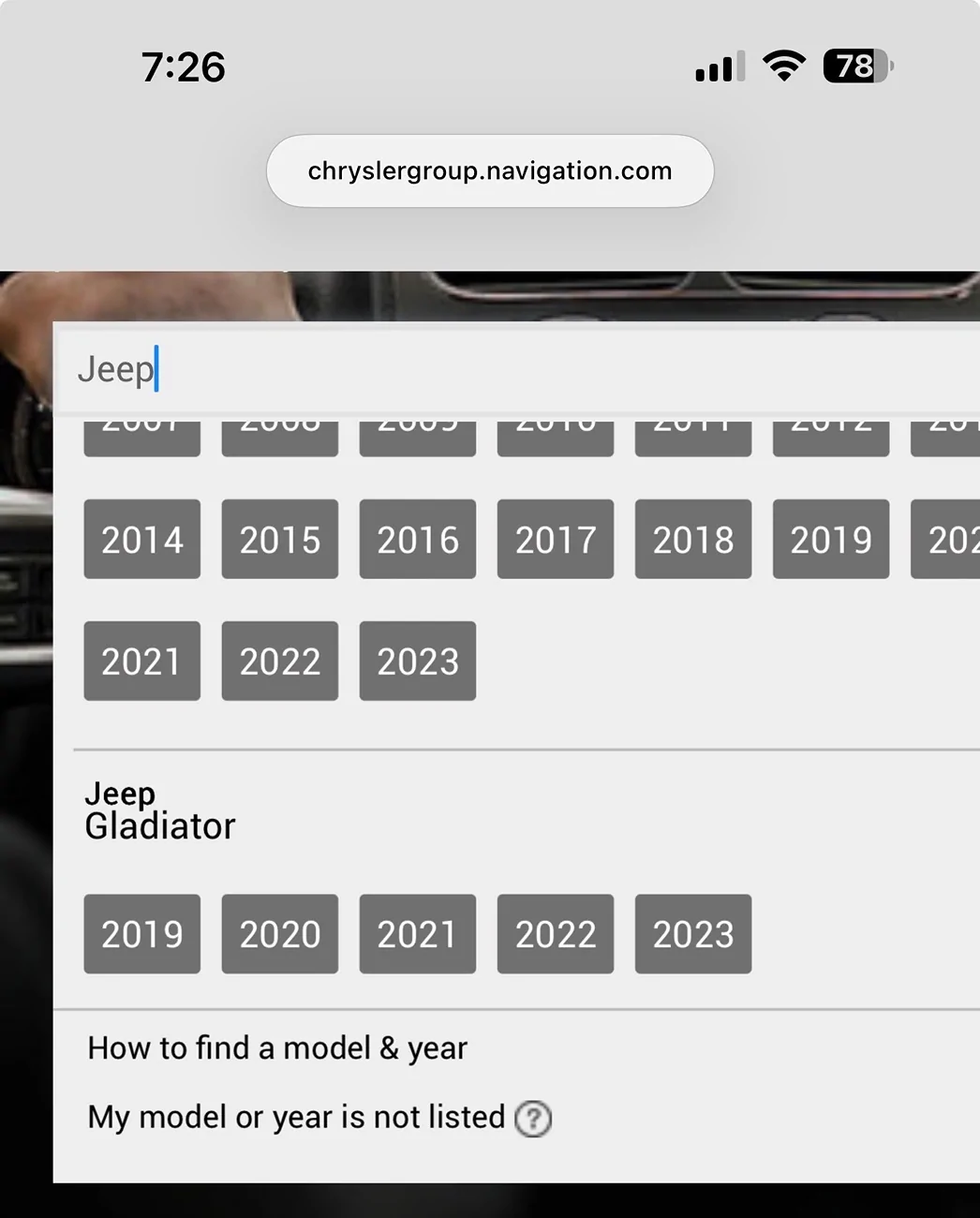
What website were you on? On the Uconnect map update site it only goes to 2023 Gladiators as they went to over-the-air updates after that:

Jeep Gladiator Uconnect Glitching IMG_1641


Where did you find downloadable software for a 2025?

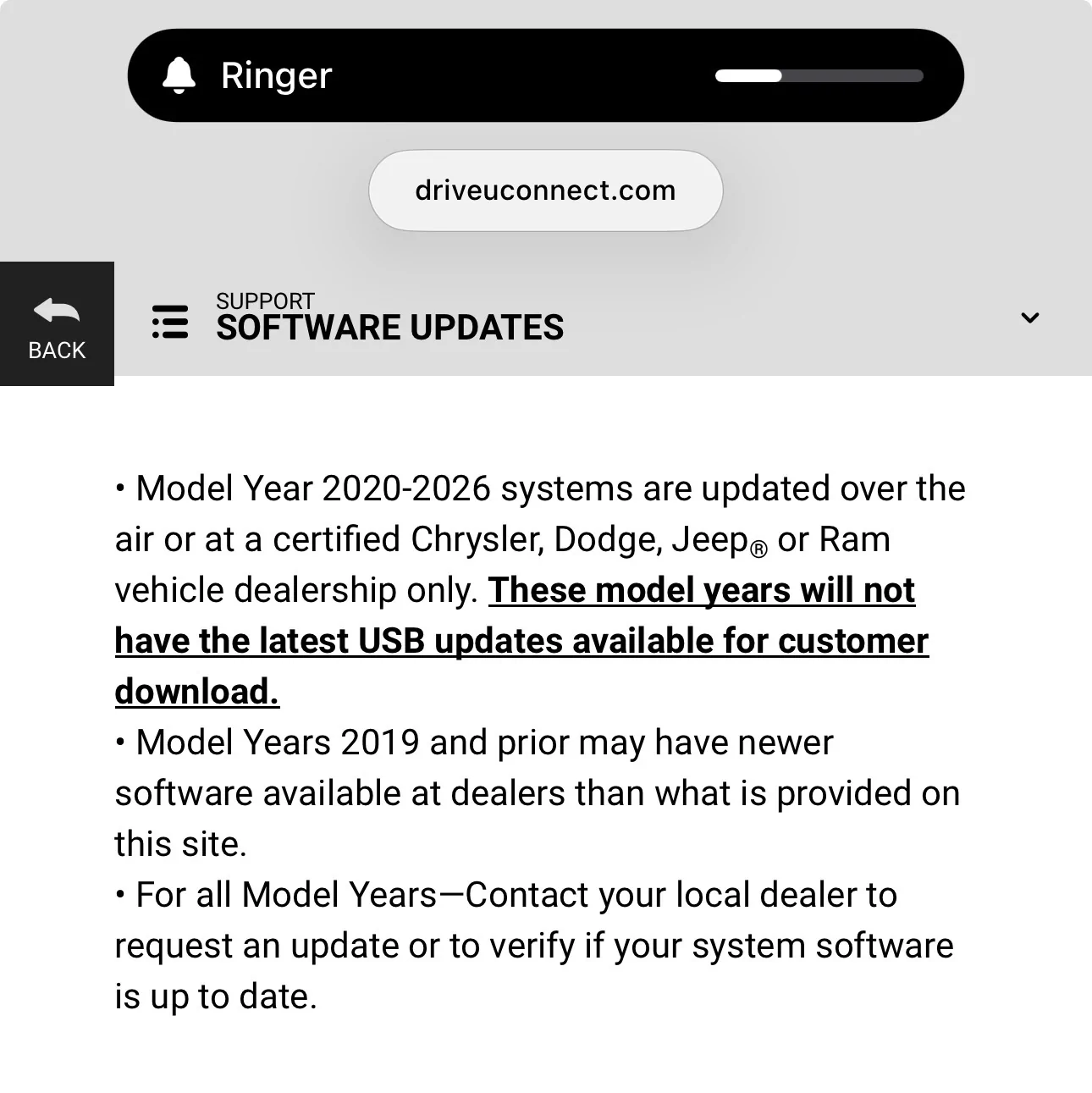
Then for Uconnect system updates they went to OTA after 2020:

Jeep Gladiator Uconnect Glitching IMG_1642
 

LoneWolfUSMC

Well-Known Member
First Name
John
Joined
Feb 4, 2026
Threads
4
Messages
120
Reaction score
149
Location
Southern Indiana
Vehicle(s)
2024 Gladiator Rubicon
This is the version on an early MY26 Mojave that I’m driving:
Thanks. I may have to reconnect it and just let it sit while at home. I don’t see any way on the user side to force an update. I haven’t yet check to see if you can do it with the Tazer or Jscan.
 

sheath

Well-Known Member
First Name
Scott
Joined
Jul 13, 2026
Threads
5
Messages
55
Reaction score
92
Location
Utah
Vehicle(s)
'25 Gladiator Rubicon-X
What website were you on? On the Uconnect map update site it only goes to 2023 Gladiators as they went to over-the-air updates after that:

IMG_1641.webp


Where did you find downloadable software for a 2025?

Then for Uconnect system updates they went to OTA after 2020:

IMG_1642.webp
This one:
https://stellantis.navshop.com/#/downloads
I selected Jeep>Gladiator> UConnect 5, and got the following results.
I've not tried to see if the updates would work on this new system. Information came from a cross posting where a guy with a '24 Trailhawk used this to update his system. Maybe Trailhawk is behind the JL & JT?
Jeep Gladiator Uconnect Glitching 1787064968982-ws
 

Cattywumpuss

Well-Known Member
First Name
Paul
Joined
Feb 13, 2026
Threads
20
Messages
394
Reaction score
515
Location
Anchorage, AK
Vehicle(s)
2026 Jeep Gladiator Sport S
This one:
https://stellantis.navshop.com/#/downloads
I selected Jeep>Gladiator> UConnect 5, and got the following results.
I've not tried to see if the updates would work on this new system. Information came from a cross posting where a guy with a '24 Trailhawk used this to update his system. Maybe Trailhawk is behind the JL & JT?
1787064968982-ws.webp
Thanks for the info, I’ll check that out and see what’s what.

I’m hoping to sit in the driveway with my JT connected to wifi tomorrow and see if I can finally get the map updates downloaded and done.

Maybe that will settle my UConnect back down as well. 🤞
Sponsored


Top