
Farmer Fran
Well-Known Member
- Thread starter
- #1
How do you all navigate the USB ports being on for an hour with a wireless connection device... AA or Carplay
Sponsored




I wouldn't usually either but my truck is in the garage and my phone keeps telling me it is connected to the truck. Constantly for the next hour, and even longer if I just open the door for somethingI don't worry about it...
Kevin
I looked did not see anything, let me know if you find somethingI think AA has a setting that will turn it off when the BT connection of the Uconnect disconnects from your phone, but I'd have to double check to be sure.
Does it disconnect from your phone when you shut the car off even though the usb port is still powered?I bought the AAWireless (brand) unit. Flawless.
Yes. You get everything connected and working. Then open the app and there is a setting to turn off when head unit turns off.Does it disconnect from your phone when you shut the car off even though the usb port is still powered?
Just ordered that one! I ordered the Ottocast A2air yesterday, but then read this thread. I don't want any issues, and I can't find out if the Ottocast does the same thing as the AAWireless. I am not taking any chances, AAWireless it is, Ottocast is getting returned as soon as it comes in!Yes. You get everything connected and working. Then open the app and there is a setting to turn off when head unit turns off.
Works everytime. Fires right up and shuts right off.
Here it is with velcro in the consoleJust ordered that one! I ordered the Ottocast A2air yesterday, but then read this thread. I don't want any issues, and I can't find out if the Ottocast does the same thing as the AAWireless. I am not taking any chances, AAWireless it is, Ottocast is getting returned as soon as it comes in!

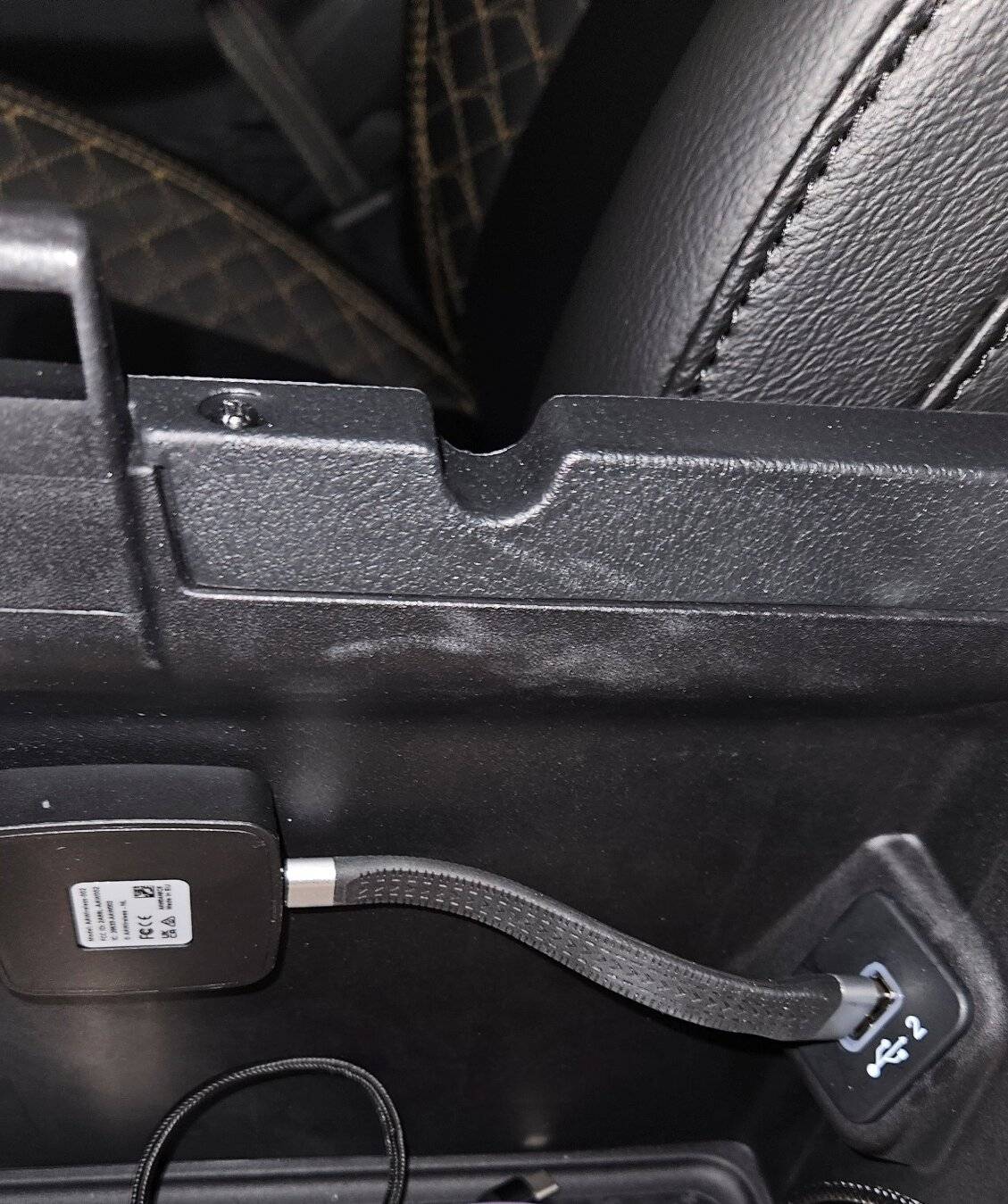
Did that cable come with it?Here it is with velcro in the console

No it comes with a "normal cable", you can kind of see it at the bottom of the image.Did that cable come with it?


