msiminoff
Well-Known Member
- First Name
- Mark
- Joined
- Nov 28, 2023
- Threads
- 7
- Messages
- 46
- Reaction score
- 152
- Location
- Silicon Valley, CA
- Vehicle(s)
- 2023 Gladiator Mojave
- Build Thread
- Link
- Occupation
- Mechanical Engineer/Fabricator
- Thread starter
- #1
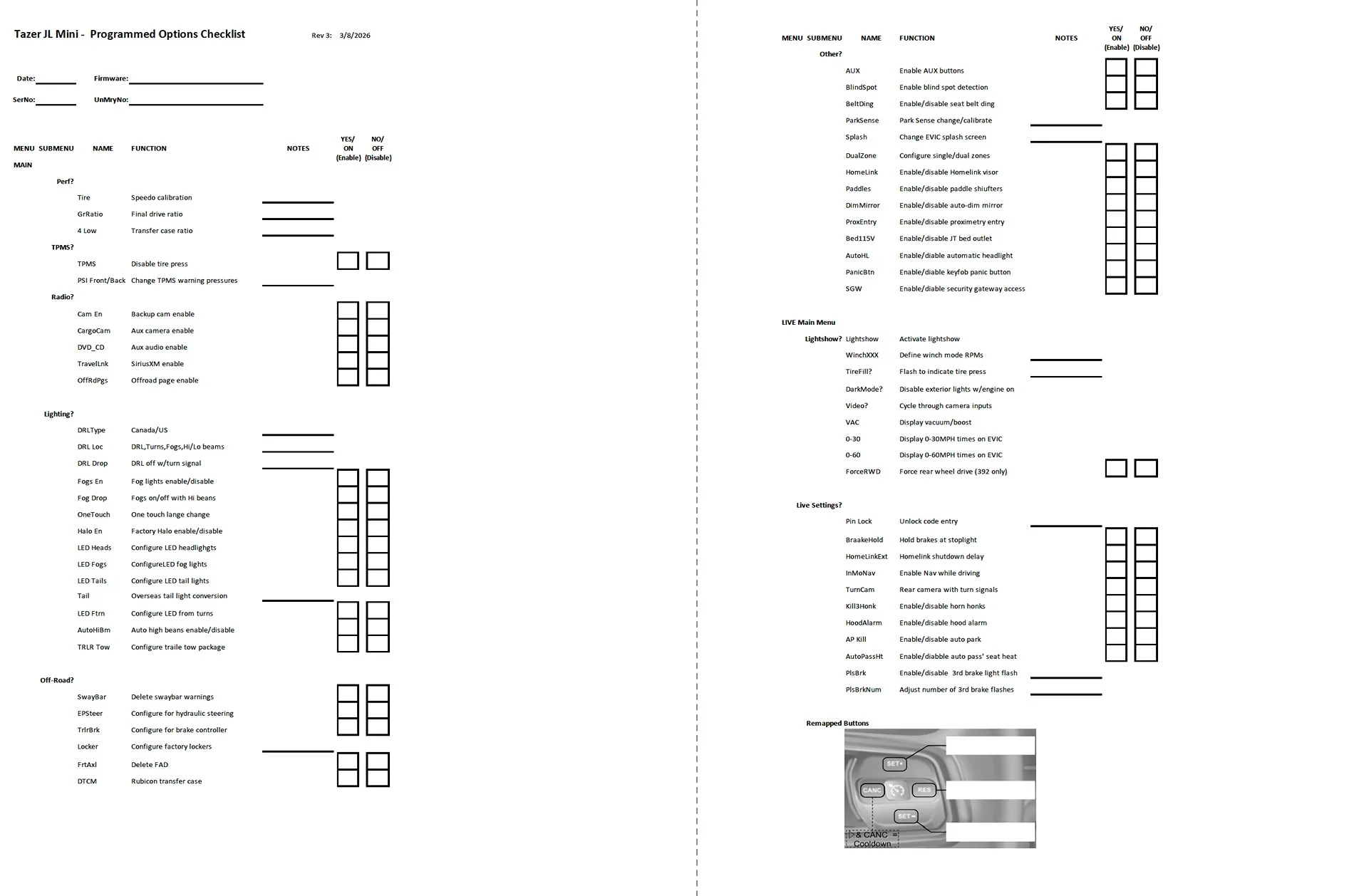
I got tired of scrolling through the Tazer menus to see what I had each of the options set to (especially after un-marrying for a dealer visit or firmware update), and I find Z-Automotive's user guide to be a PITA to use... So I made myself a simple checklist that fits onto a two-sided sheet of printer paper. It lists each of the menu items (mostly) in order, has a simple description of what each setting does, and provides a space (text field or checkbox) to note what changes I've made for each setting.
The attached photo shows what's on the checklist.

If you find this useful you can download a PDF copy HERE:
https://www.dropbox.com/scl/fi/4oyu...ey=m1ka4585kthiv63xloli7y91c&st=oo0mvjnt&dl=0
Let me know if you find any errors/omissions or things that could be improved, and I'll update the document.
Cheers,
-Mark
The attached photo shows what's on the checklist.
If you find this useful you can download a PDF copy HERE:
https://www.dropbox.com/scl/fi/4oyu...ey=m1ka4585kthiv63xloli7y91c&st=oo0mvjnt&dl=0
Let me know if you find any errors/omissions or things that could be improved, and I'll update the document.
Cheers,
-Mark
Sponsored