Sponsored
OP
OP
DailyDrivenTJ

DailyDrivenTJ

Well-Known Member
First Name
Michael
Joined
Nov 19, 2023
Threads
22
Messages
319
Reaction score
226
Location
PNW
Vehicle(s)
2023 JTRD, 1999 TJ-6 HEMI, 1998TJ, 2000 XJ 4.6L
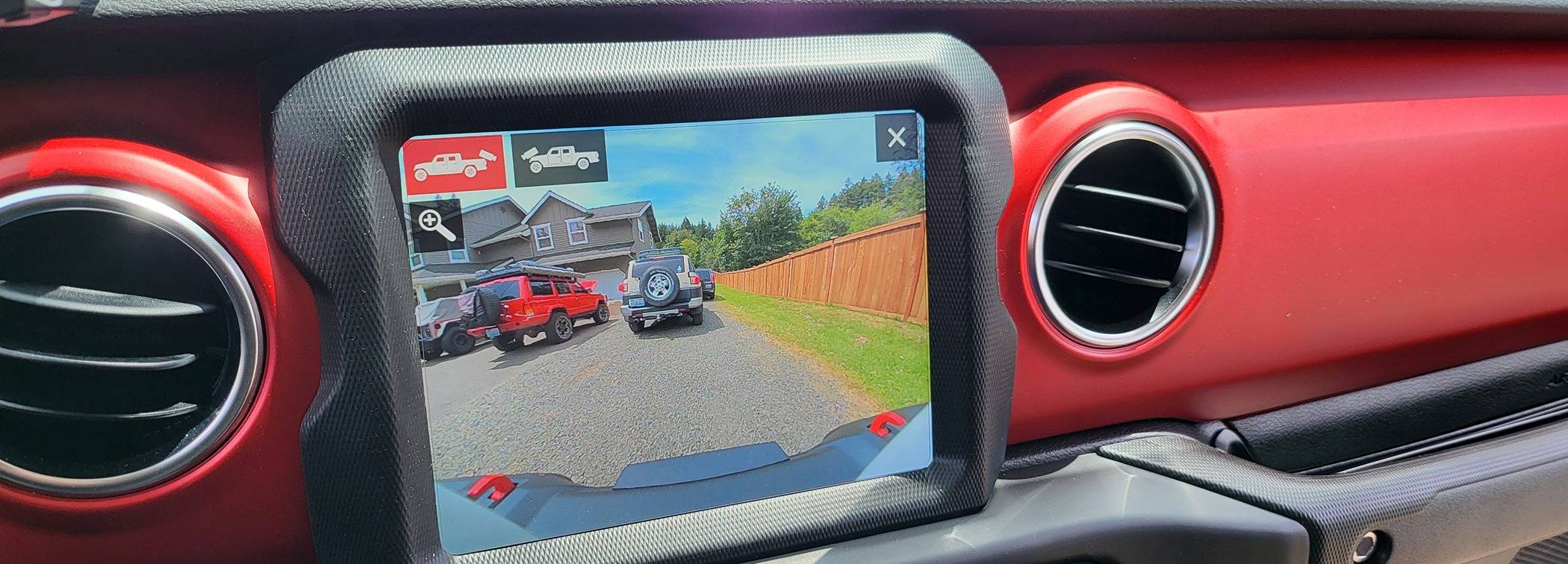
Jeep Gladiator Mopar Trail Cam DIY Installation - 2023 Diesel Gladiator Rubicon 1000010845
Jeep Gladiator Mopar Trail Cam DIY Installation - 2023 Diesel Gladiator Rubicon 1000010849

Swapped the front cam with the rear and it displays the front fine.

So I can confirm front and rear cams are working fine.

That leaves CVPM and UConnect...
Sponsored
 

Alc

Well-Known Member
First Name
Doug
Joined
Apr 30, 2023
Threads
7
Messages
173
Reaction score
144
Location
USA
Vehicle(s)
Jeep Gladiator
Weird…not troubleshooting with your equipment but to me sounds like intermittent power to the CVPM which is causing havoc to the settings within the BCM.
 
OP
OP
DailyDrivenTJ

DailyDrivenTJ

Well-Known Member
First Name
Michael
Joined
Nov 19, 2023
Threads
22
Messages
319
Reaction score
226
Location
PNW
Vehicle(s)
2023 JTRD, 1999 TJ-6 HEMI, 1998TJ, 2000 XJ 4.6L
Weird…not troubleshooting with your equipment but to me sounds like intermittent power to the CVPM which is causing havoc to the settings within the BCM.
Very possible.. I tried disconnecting the power when reverse cam is on and it does give me the blue screen.

So that tells me there is power to it. I wonder if it has anything to do with switched power not being fast enough?

Makes me wonder why do the dynamic gridlines disappear?
 
OP
OP
DailyDrivenTJ

DailyDrivenTJ

Well-Known Member
First Name
Michael
Joined
Nov 19, 2023
Threads
22
Messages
319
Reaction score
226
Location
PNW
Vehicle(s)
2023 JTRD, 1999 TJ-6 HEMI, 1998TJ, 2000 XJ 4.6L
Well, have been messing with it all weekend.

Few things happened.

My JT would not start at some point over the weekend and it took 3 or 4 push on the start button about 30 sec apart with foot on the brake.

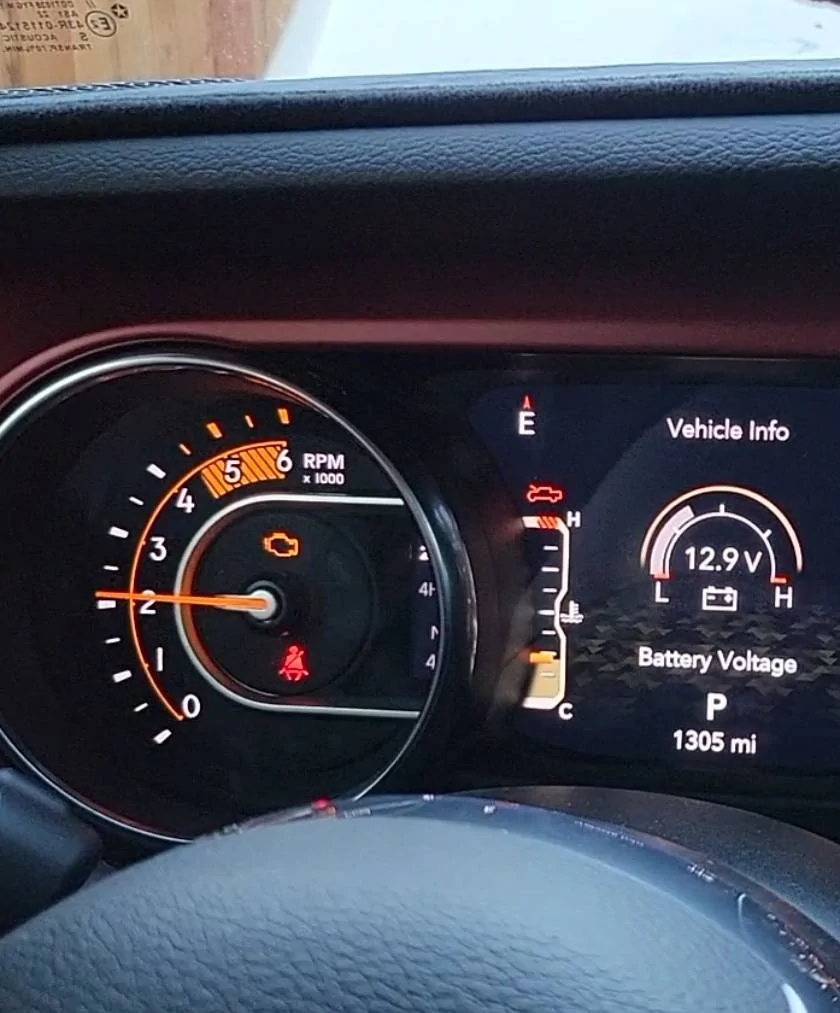
Noticed battery being quite low when the engine was running.

Jeep Gladiator Mopar Trail Cam DIY Installation - 2023 Diesel Gladiator Rubicon 1000010900


This temporary non start issue also flagged multiple jibrish fault codes on engine and transmission.

Learned that with AlphaOBD, I need SG bypass to delete codes and you have to chase these codes assigned to individual components and delete them separately. IE. If you have transmission codes, you cannot read them from reading code from "engine" and delete the fault.

Nonetheless, I charged both the aux battery and the main separately with an actual battery charger and hooked everything back together.

Tried bypassing the Aux battery but Uconnect lost all settings including short cut for XM radio and the programming for the TrailCam as well. Offroad page would not load either.

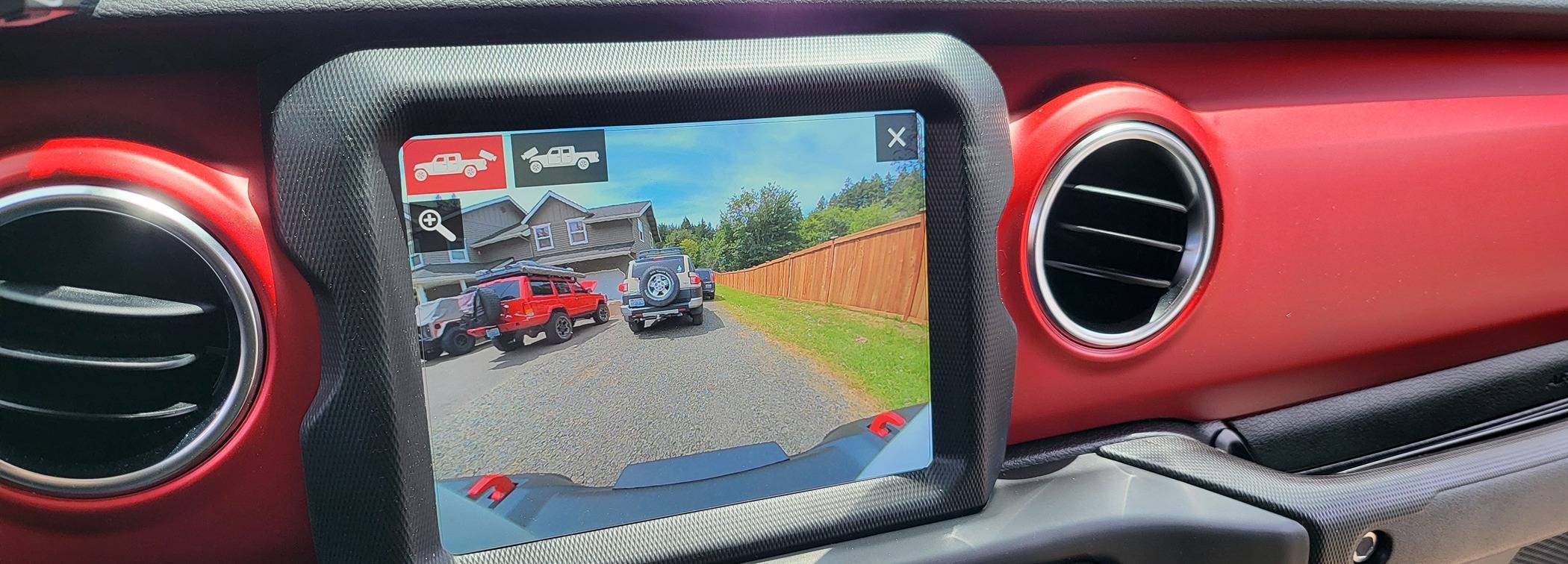
Jeep Gladiator Mopar Trail Cam DIY Installation - 2023 Diesel Gladiator Rubicon 1000010845


The problem with no guideline showing persists. Interestingly, I will start driving without the lines. Along the same drive cycle, all of sudden the guidelines start showing when I select the cams AND both cams work as intended.

Not sure what is really going on but I know the battery was low per Jeep gauge so I will try to rectify that issue.

I also actually turn the radio off before shutting the vehicle off. I am assuming the UConnect has really poor OS that it needs proper power cycle like Windows.

It seems like I will be looking into better Aux battery and main battery or bypassing it as long as it doesn't affect anything else. Soon.
 

MaximusTX

Well-Known Member
Joined
Sep 15, 2023
Threads
8
Messages
701
Reaction score
1,004
Location
TX
Vehicle(s)
22 JTRD, 24 Mini Cooper JCW, 13 Ford Raptor, 87 Samurai JX SE
Build Thread
Link
Vehicle Showcase
1
Figured I would update this thread. As of last week, I found that I occasionally lose the active tire track overlay on reverse and whenever this happens, I also lose the TrailCam that I cannot access the TrailCam at all. When this happens, I cannot access backup cam from the onscreen menu either. Only putting in gear will solve this issue.

So far it feels it happens at random and in the morning of it would work fine then it would stop working for the basically whole day.

Not sure if this is wiring issue or software issue..

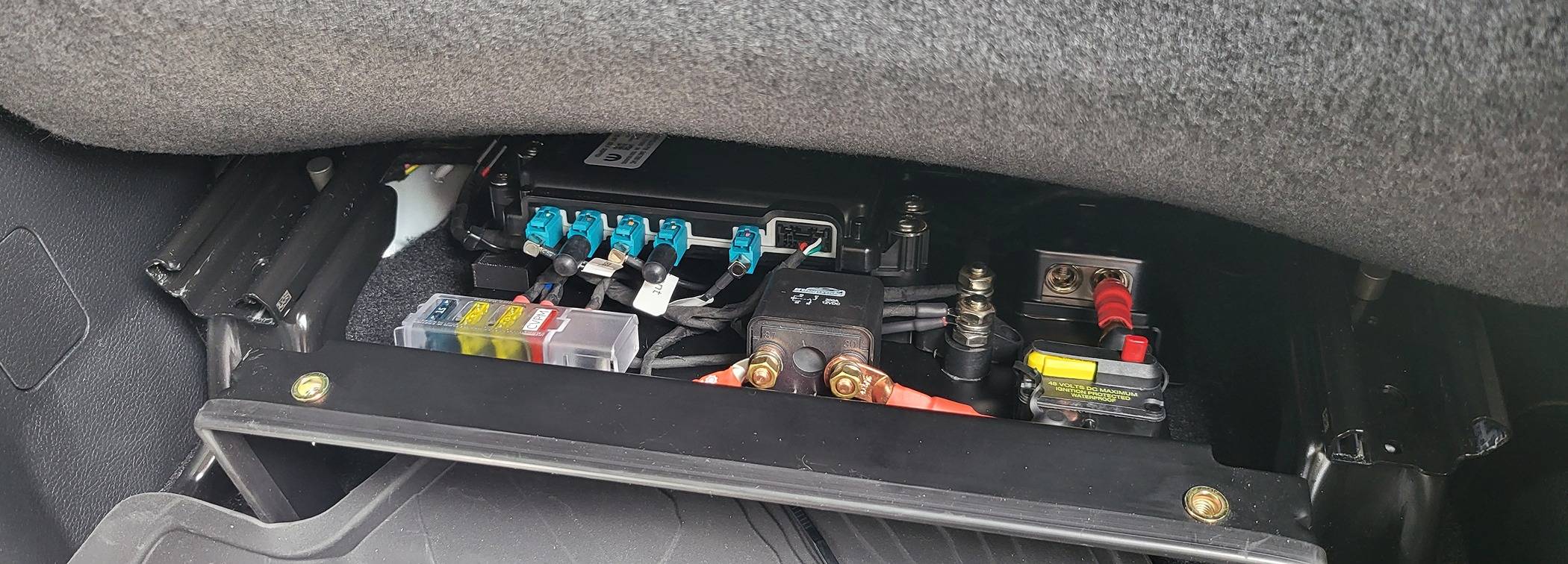
Good thing my CVPM is under the seat so it is not hard to get to but I am wondering if anyone had any issues like this.
I know it doesn't help now but I am currently gathering all the parts to get this done on mine. I already have all the wiring together so I just need to get all the mopar parts. Once I get it all installed probably in the next month I can help troubleshoot if you are still having the issue. I think the only difference will be is I am going to be installing it in the stock location.
 

Sponsored

OP
OP
DailyDrivenTJ

DailyDrivenTJ

Well-Known Member
First Name
Michael
Joined
Nov 19, 2023
Threads
22
Messages
319
Reaction score
226
Location
PNW
Vehicle(s)
2023 JTRD, 1999 TJ-6 HEMI, 1998TJ, 2000 XJ 4.6L
I know it doesn't help now but I am currently gathering all the parts to get this done on mine. I already have all the wiring together so I just need to get all the mopar parts. Once I get it all installed probably in the next month I can help troubleshoot if you are still having the issue. I think the only difference will be is I am going to be installing it in the stock location.
Thank you for the offer. Hopefully I won't need any trouble shooting by then. One thing to note, having access to the CVPM and power under the seat, made things so much easier for me to trouble shoot. Between Rockslide Engineering Steps, dual compressor and CB/GMRS to be installed, this under the seat setup has been making things look much less amatuer.

My issues are:

1. Reverse lines disappearing.
2. Trailcam not accessible.

When reverse line appears, the TrailCam works again. Or vice versa. It is never either or. It is always both.

I know my physical install is likely fine, otherwise it would not have ever worked before at all AND it still works fine when it is available. I stress the system by keeping trail cam on for 10 min at a time and cycling back and forth to reverse cam. No glitches or other issues to report.

I have also done some searching on reverse line disappearing on JLs and other platforms in general. It seems like it is a rather wide spread issue with Uconnect as I have seen owners from JL, GrandCherokee, Dodge Charger, Ram.... Basically Chrysler line up that uses same hardware having same issue.

The solution has been dealer doing soft reset, replacing out Uconnect, Dealer telling them OTA update is being worked on.. It is just that they don't have TrailCam issues to go along with it, that most owners just seemed to chalk it off being their radio weird as it always came back then randomly disappearing again. To me, it is one thing to miss couple lines when reversing but losing an entire feature like a TrailCam that I invested all this time to me is a definite malfunction.

One thing though, I do not drive my JT every day. Past 6 month, I drove 1300 miles and 90 percent was 20 min drive or less. I know this is not good for diesel truck but besides that I feel this maybe taking toll on the aux battery and/or battery system in general. I also park by Gladiator in downtown underground garage 5 floors under most of the time so I know it is not getting OTA update.

..so far, my inclination is UConnect and/or BCM takes unusually long time to initialize its overlay guideline graphics with steering input hence right upon start up, you may not get the guideline. This may have to do with charge status of Aux/Main battery.

As I test out my theory, I will update this and if anyone has FSM explanation on how these systems operate together, I would love to read that!
 
Last edited:
OP
OP
DailyDrivenTJ

DailyDrivenTJ

Well-Known Member
First Name
Michael
Joined
Nov 19, 2023
Threads
22
Messages
319
Reaction score
226
Location
PNW
Vehicle(s)
2023 JTRD, 1999 TJ-6 HEMI, 1998TJ, 2000 XJ 4.6L
So far, since last week, I got no-Guideline when reversing and would get no front cam twice. But both times during the same drive cycle reverse cam became accessible and the guideline showed.

TrailCam also was able to be toggled briefly during the same drive cycle.

My initial conclusion is the install is fine. The battery may have been low and that sometimes UConnect takes long time to get these camera ready to go. This may also be voltage dependent/status of battery charge.
 
OP
OP
DailyDrivenTJ

DailyDrivenTJ

Well-Known Member
First Name
Michael
Joined
Nov 19, 2023
Threads
22
Messages
319
Reaction score
226
Location
PNW
Vehicle(s)
2023 JTRD, 1999 TJ-6 HEMI, 1998TJ, 2000 XJ 4.6L
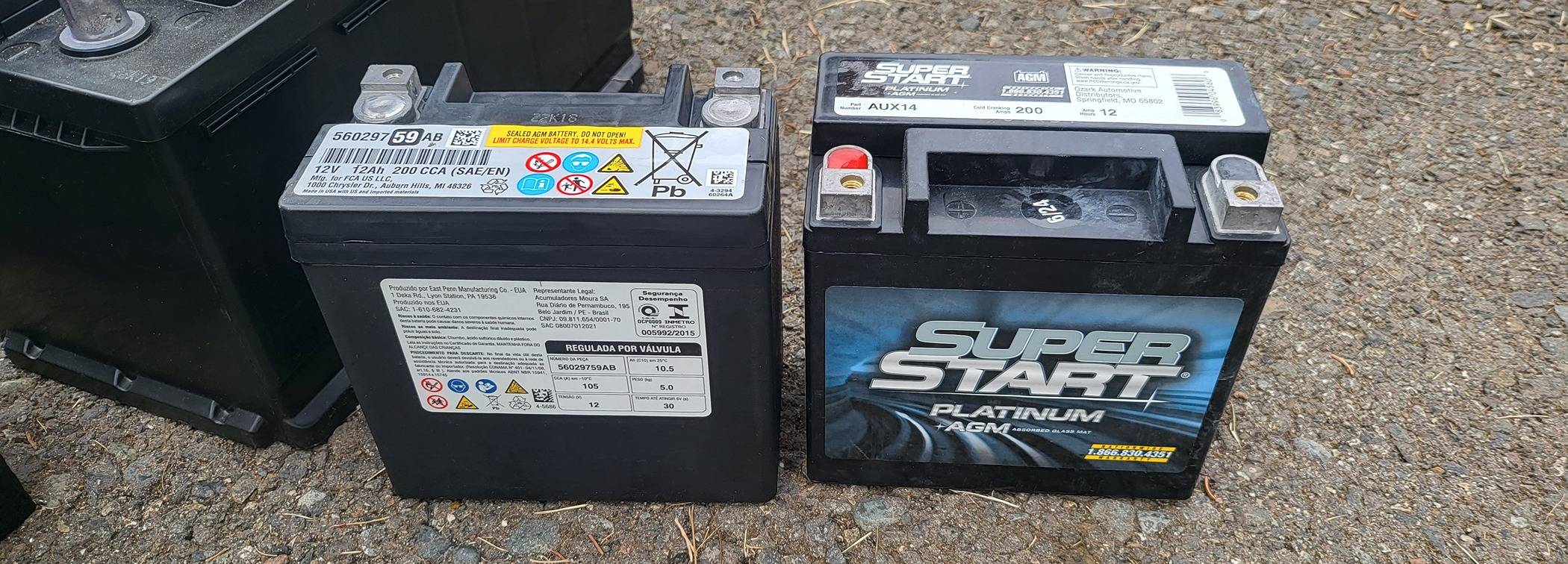
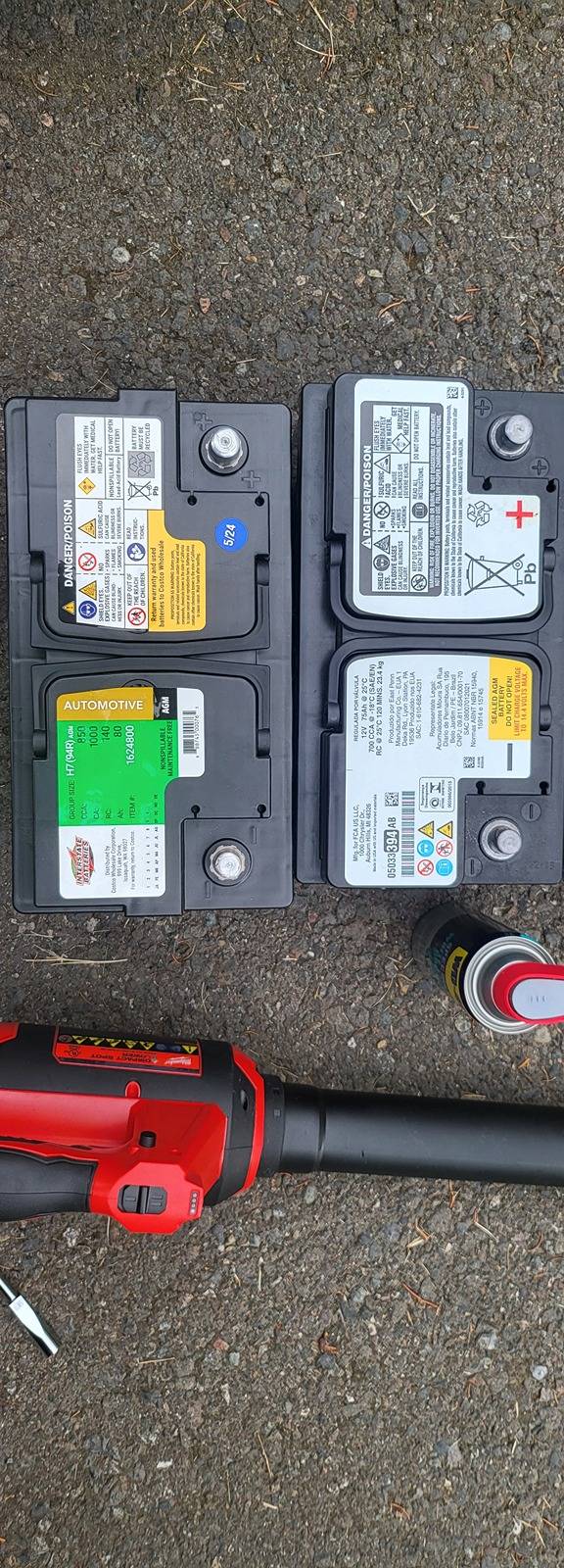
Changed OEM batteries with aux battery from O'Reilly and the new main battery from Costco.

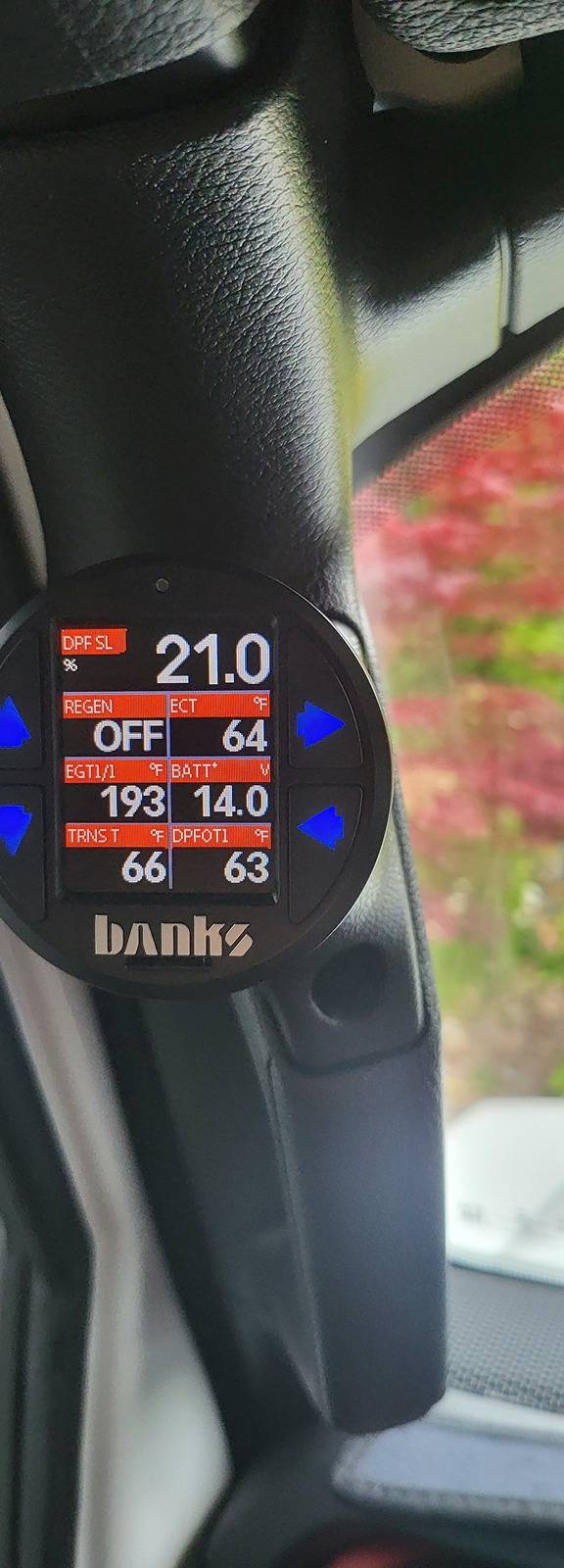
I have been monitoring my Jeep and when the camera acts up. It seems to be related to the voltage upon start up. I also noticed my Jeep voltage dropping below 12.4v even with engine running.

I will probably end up deleting the aux battery but until then I want to see how these fare.

Or do a dual battery setup under the rear seat.

So far so good with the guidelines and they showed up at the first start up.
Jeep Gladiator Mopar Trail Cam DIY Installation - 2023 Diesel Gladiator Rubicon 1000011077


Jeep Gladiator Mopar Trail Cam DIY Installation - 2023 Diesel Gladiator Rubicon 1000011073
Jeep Gladiator Mopar Trail Cam DIY Installation - 2023 Diesel Gladiator Rubicon 1000011076
 
Last edited:
OP
OP
DailyDrivenTJ

DailyDrivenTJ

Well-Known Member
First Name
Michael
Joined
Nov 19, 2023
Threads
22
Messages
319
Reaction score
226
Location
PNW
Vehicle(s)
2023 JTRD, 1999 TJ-6 HEMI, 1998TJ, 2000 XJ 4.6L
So... The parking guidelines started to disappear and the trail cam also becomes inaccessible. Before it would become available during the same drive cycle but once it becomes inaccessible, I notice it won't be available the entire day.

I believe these two, disappearing park guideline and Trailcam are associated with Uconnect software. When I put the gear shifter into reverse, I do get the reverse cam. Yet when I hit the front cam icon nothing happens. Also reverse view is not assessible through the icon.

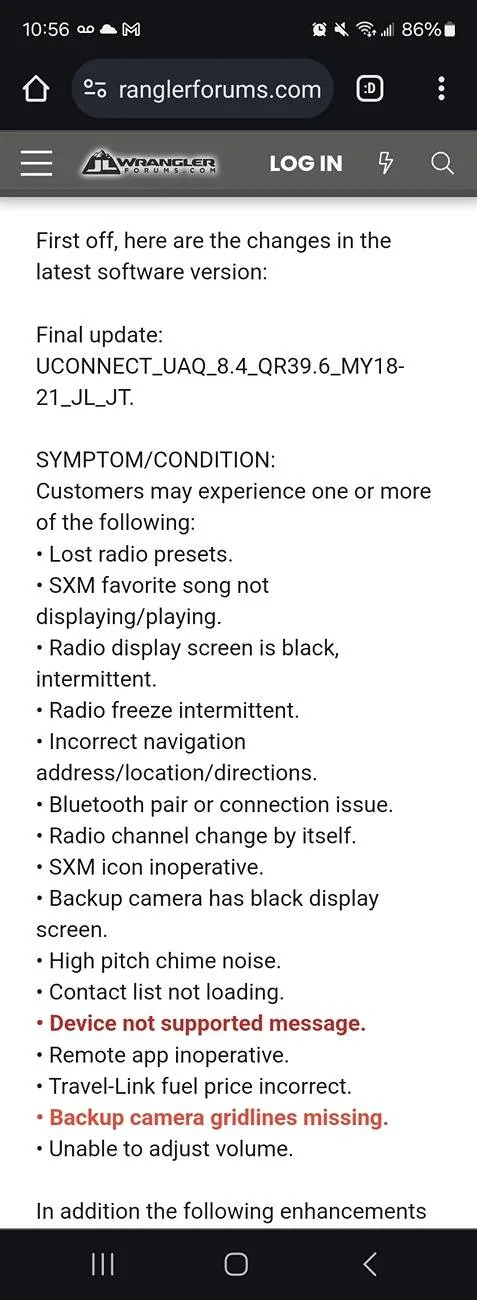
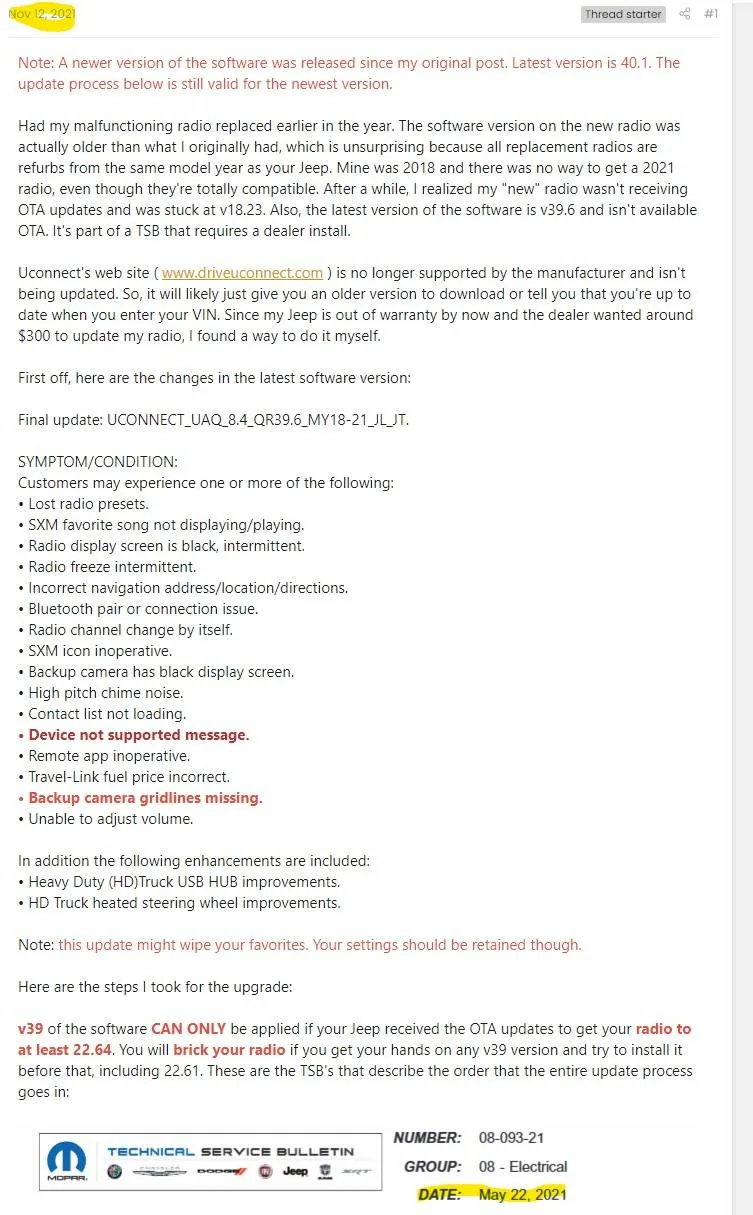
Apparently, Dodge, JL, and Ram also have issues with disappering parking guidelines. There seems to be fixes that are implemented with UConnect update.

Jeep Gladiator Mopar Trail Cam DIY Installation - 2023 Diesel Gladiator Rubicon 1000011384


OTA update is no longer pushed and update is only available through a dealer around May-June 2024?

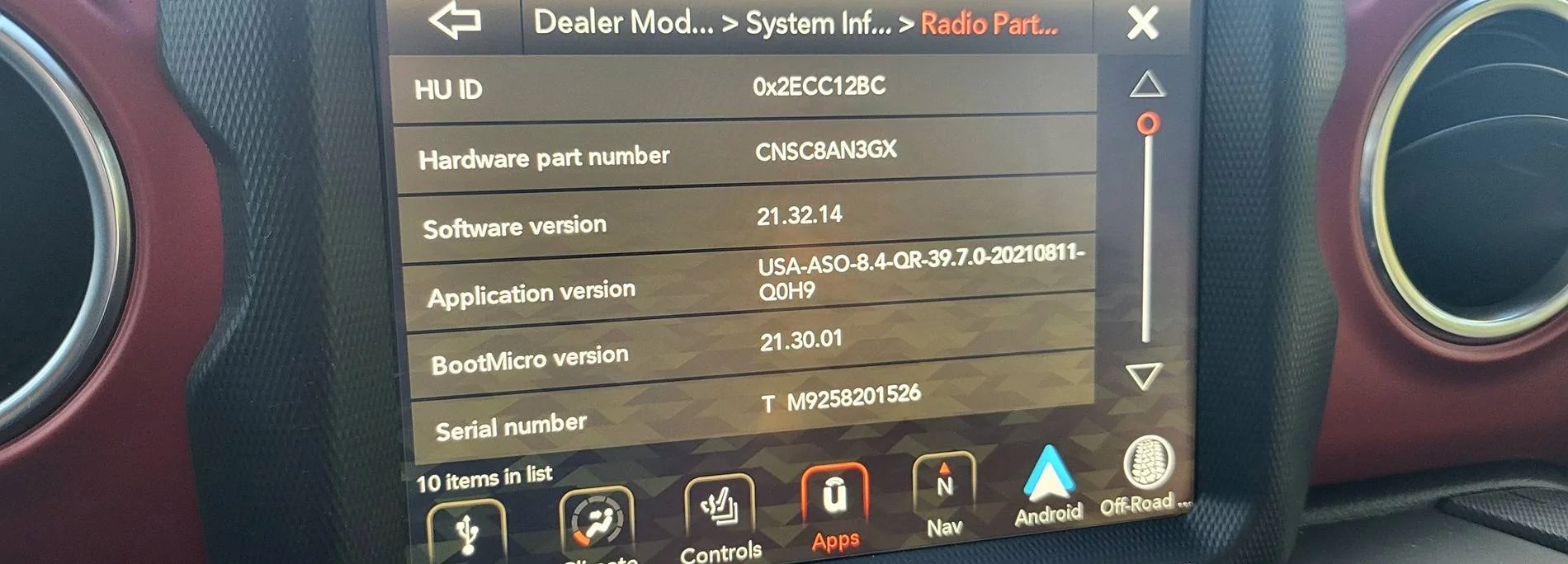
I will need to find out what my UConnect version is in my truck and see if it has latest update on it. I know my JTRD is manufacturered in Jan 2023 and sold to me Nov 2023.

Can anyone share me their UConnect version?
 

MaximusTX

Well-Known Member
Joined
Sep 15, 2023
Threads
8
Messages
701
Reaction score
1,004
Location
TX
Vehicle(s)
22 JTRD, 24 Mini Cooper JCW, 13 Ford Raptor, 87 Samurai JX SE
Build Thread
Link
Vehicle Showcase
1
So... The parking guidelines started to disappear and the trail cam also becomes inaccessible. Before it would become available during the same drive cycle but once it becomes inaccessible, I notice it won't be available the entire day.

I believe these two, disappearing park guideline and Trailcam are associated with Uconnect software. When I put the gear shifter into reverse, I do get the reverse cam. Yet when I hit the front cam icon nothing happens. Also reverse view is not assessible through the icon.

Apparently, Dodge, JL, and Ram also have issues with disappering parking guidelines. There seems to be fixes that are implemented with UConnect update.

1000011384.webp


OTA update is no longer pushed and update is only available through a dealer around May-June 2024?

I will need to find out what my UConnect version is in my truck and see if it has latest update on it. I know my JTRD is manufacturered in Jan 2023 and sold to me Nov 2023.

Can anyone share me their UConnect version?
That is a very old post from 2021. You can download that update from another thread and try installing it but since you already have a 23 chances are you are already up to date. My wife's 392 Uconnect screen keeps going black and the dealer currently has no fix and says we are up to date and I tried this update but it would not even recognize it since it was already past this up-date. Here is the thread to download if you want to try it, it is in post #36:

Update download link

Jeep Gladiator Mopar Trail Cam DIY Installation - 2023 Diesel Gladiator Rubicon Screenshot 2024-07-10 070305
 

Sponsored

OP
OP
DailyDrivenTJ

DailyDrivenTJ

Well-Known Member
First Name
Michael
Joined
Nov 19, 2023
Threads
22
Messages
319
Reaction score
226
Location
PNW
Vehicle(s)
2023 JTRD, 1999 TJ-6 HEMI, 1998TJ, 2000 XJ 4.6L
...My wife's 392 Uconnect screen keeps going black and the dealer currently has no fix and says we are up to date and I tried this update but it would not even recognize it since it was already past this up-date. Here is the thread to download if you want to try it, it is in post #36:

Update download link
Thank you for the link.

I do not know what version I have. I will post it later.

I feel like UConnect is very poorly executed and riddled with bugs.

JL folks who talked to UConnect are reporting that OTA is no longer done and that you have to pay a visit to a dealer.

Would you mind sharing the dealer menu screen with Firmware version on the 392?

I will post mine later tonight.
 

MaximusTX

Well-Known Member
Joined
Sep 15, 2023
Threads
8
Messages
701
Reaction score
1,004
Location
TX
Vehicle(s)
22 JTRD, 24 Mini Cooper JCW, 13 Ford Raptor, 87 Samurai JX SE
Build Thread
Link
Vehicle Showcase
1
Thank you for the link.

I do not know what version I have. I will post it later.

I feel like UConnect is very poorly executed and riddled with bugs.

JL folks who talked to UConnect are reporting that OTA is no longer done and that you have to pay a visit to a dealer.

Would you mind sharing the dealer menu screen with Firmware version on the 392?

I will post mine later tonight.
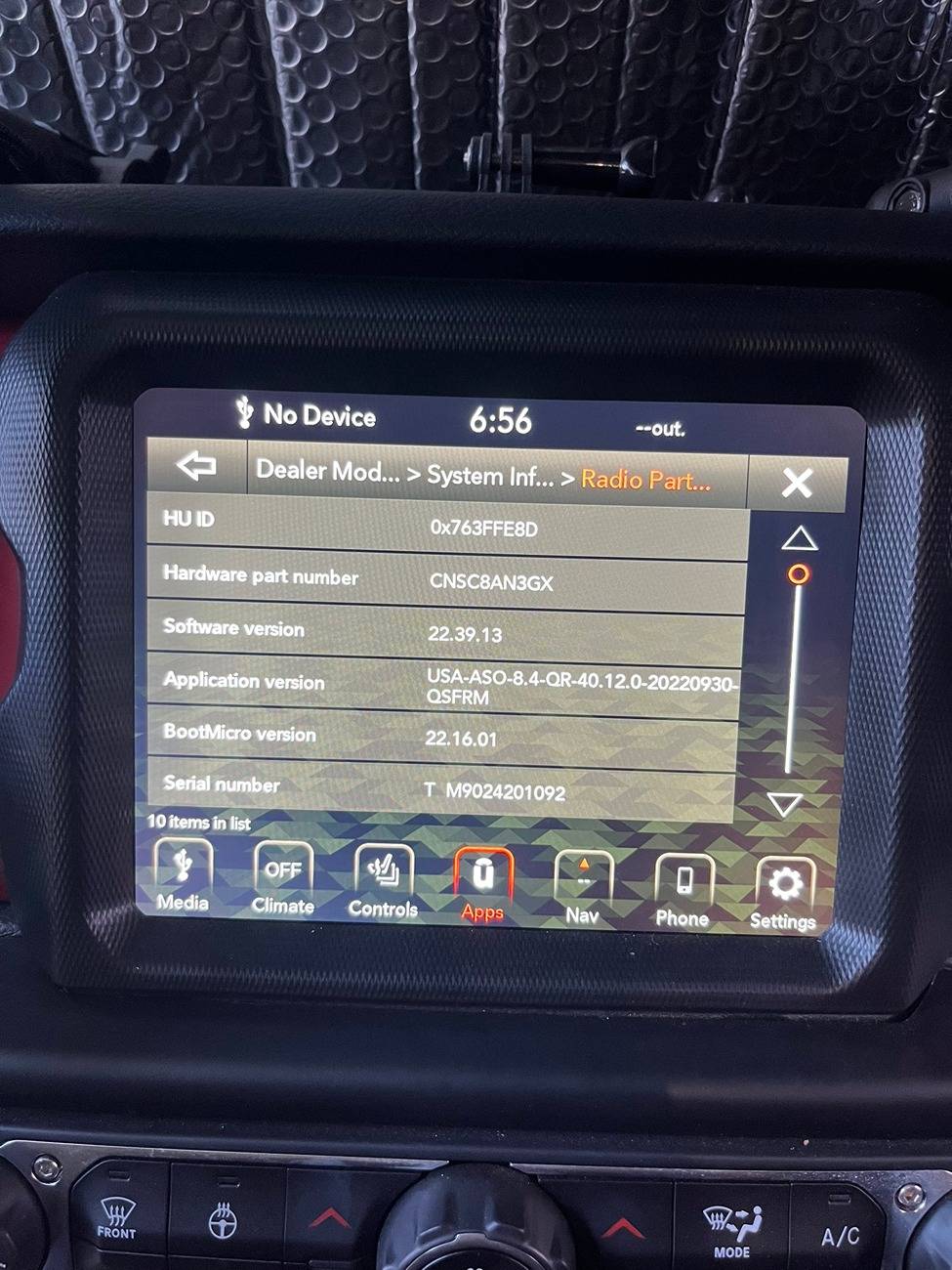
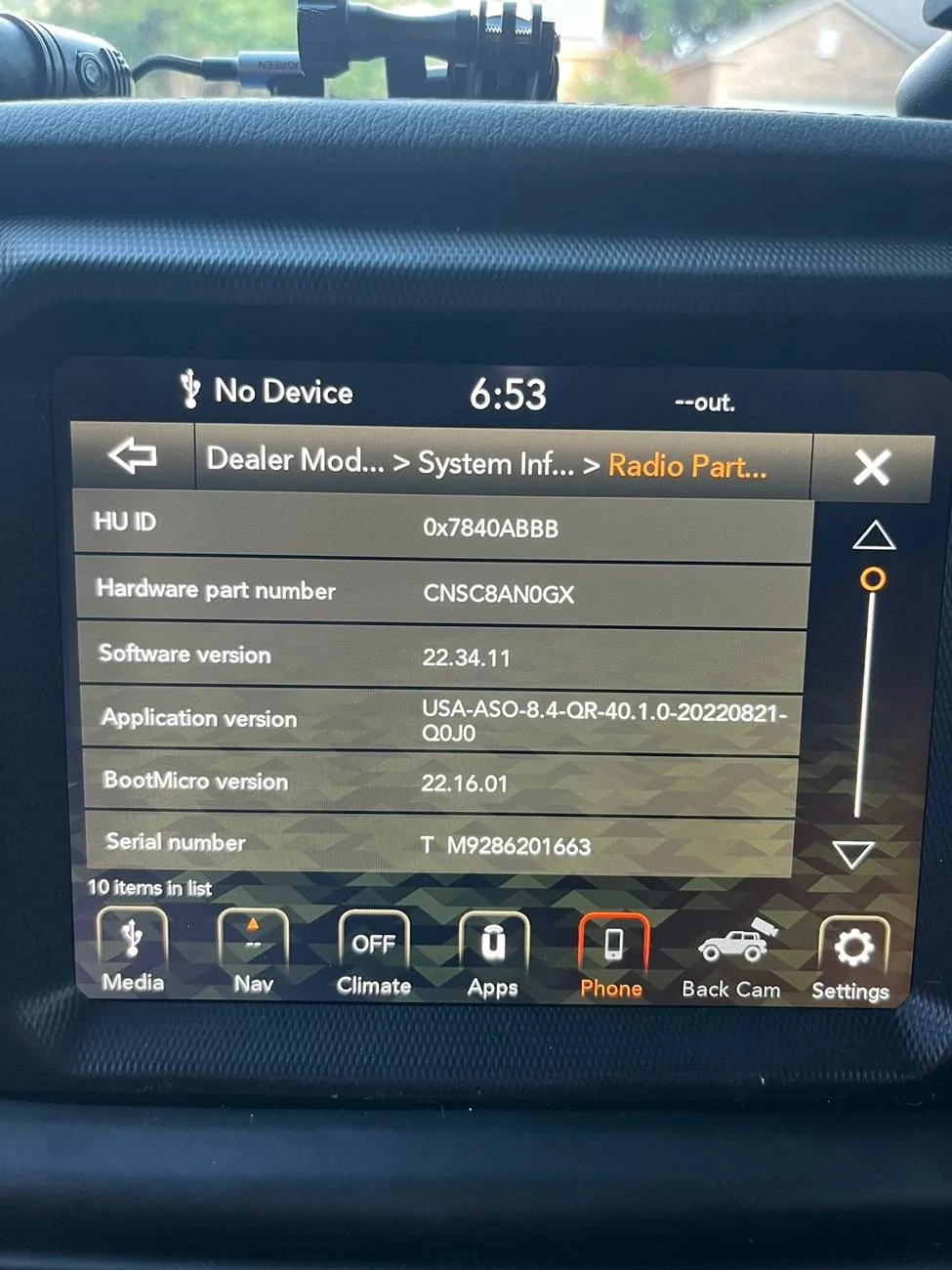
Here you go.

This is my 2022 Diesel Gladiator Rubicon w/ no front trail cam and no real issues with UConnect
Jeep Gladiator Mopar Trail Cam DIY Installation - 2023 Diesel Gladiator Rubicon IMG_2939.JPEG


This is my wifes 2023 Wrangler 392 with the black screen issues
Jeep Gladiator Mopar Trail Cam DIY Installation - 2023 Diesel Gladiator Rubicon IMG_2938
 
OP
OP
DailyDrivenTJ

DailyDrivenTJ

Well-Known Member
First Name
Michael
Joined
Nov 19, 2023
Threads
22
Messages
319
Reaction score
226
Location
PNW
Vehicle(s)
2023 JTRD, 1999 TJ-6 HEMI, 1998TJ, 2000 XJ 4.6L
@MaximusTX Thank you so much for sharing those screen shots.

Jeep Gladiator Mopar Trail Cam DIY Installation - 2023 Diesel Gladiator Rubicon 1000011389


Looks like I have older version. 39.7.

You do have the latest 40.1.

I will learn how to do the firmware update and share it here.
 
OP
OP
DailyDrivenTJ

DailyDrivenTJ

Well-Known Member
First Name
Michael
Joined
Nov 19, 2023
Threads
22
Messages
319
Reaction score
226
Location
PNW
Vehicle(s)
2023 JTRD, 1999 TJ-6 HEMI, 1998TJ, 2000 XJ 4.6L
Link to the Firmware Version 40.1

https://www.mediafire.com/file/guzmk27vexkr33x/UCONNECT_UAQ_8.4_QR40.1_MY18-21.zip/file

Approximately 1.1GB.

To install this update, unzip the file and drop the VP4R_Update folder onto the root of a FAT32-formatted USB stick. Plug it into your Jeep, fire it up in either ACC or RUN, accept the update when you get the prompt, then let her rip. A timer suggests a 30-minute install time, but it usually takes only 20.

Reference:
Post #322
https://www.jlwranglerforums.com/forum/threads/new-update-for-8-4-uconnect-radio.107222/page-22
 
Last edited:

MaximusTX

Well-Known Member
Joined
Sep 15, 2023
Threads
8
Messages
701
Reaction score
1,004
Location
TX
Vehicle(s)
22 JTRD, 24 Mini Cooper JCW, 13 Ford Raptor, 87 Samurai JX SE
Build Thread
Link
Vehicle Showcase
1
Link to the Firmware Version 40.1

https://www.mediafire.com/file/guzmk27vexkr33x/UCONNECT_UAQ_8.4_QR40.1_MY18-21.zip/file

Approximately 1.1GB.

To install this update, unzip the file and drop the VP4R_Update folder onto the root of a FAT32-formatted USB stick. Plug it into your Jeep, fire it up in either ACC or RUN, accept the update when you get the prompt, then let her rip. A timer suggests a 30-minute install time, but it usually takes only 20.

Reference:
Post #322
https://www.jlwranglerforums.com/forum/threads/new-update-for-8-4-uconnect-radio.107222/page-22
It looks like that is the latest version for 2023 models. 2020-2022 Models have version 40.12 which is why my 2022 JT is on a newer version than the 23 JL. They released an update to fix the following issues:

"CUSTOMER
SYMPTOM: • Mobile Wi-Fi inoperative upon start up.
• Hotspot gives "No Internet" connection message on phone when trying to connect to a device."

I have also attached the TSB for it as well.
Sponsored


Attachments


Top