
AllMoparParts.com
Summit Sponsor (Level 3)
TY Chris
- Benny
- Benny
Sponsored

This was in the OP, if it helps:Hey I have question why do I need 5 fakra z cables
FAKRA Z cables needed ( 5 ):
( 1 ) 12" Male to Female Fakra Z to connect new rear camera to existing cable inside tailgate:
( 1 ) 10' Male to Female Fakra Z to connect CVPM output to 8.4 radio input:
( 1 ) 10' Female to Female Fakra Z to connect CPVM rear camera input to interior side rear camera cable:
( 1 ) 16.5' Male to Female Fakra Z to connect front camera to rear seat jumper Fakra Z below this one:
( 1 ) 3.28' Female to Female Fakra Z to connect CVPM front camera input to cable above that you ran all the way to the rear cab wall just before the CVPM:
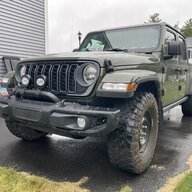
Will this work with the smaller screen?All credit to @bryanklay and @Jimmy07 . His detailed thread here:
https://www.jeepgladiatorforum.com/...-trail-camera-to-gladiator-diy-writeup.35026/
...should be the start of your reading, to get the general idea. Do not use Jimmy's thread for the Mopar parts list, use mine. His thread is fine for the Fakra cable needs and the harness. ONLY USE MY LIST for Mopar parts unless he updates his thread. There are some missing parts and a "gotcha" if you have a 2021+ Gladiator.
*** BEGINNING OF PARTS LIST ***
Mopar parts List:
Front Camera parts:
68436466AA Front camera
68396526AB Front camera bracket
06510197AA (2) TWO Front camera bracket nuts
68090949AA (2) TWO Front camera bracket screws
6QN24RXFAC Front camera grille section
Behind rear seat parts ( GET THE CORRECT CVPM FOR YOUR YEAR ):
2020 CVPM: 68329740AE
2021/2022 CVPM: 4672861AB
< obviously only order one of, and the correct year, of the above 2 lines >
06104378AA (2) TWO CVPM bolts
06506955AA (2) TWO CVPM snap nuts
Washer parts:
68370828AA Hose 1: washer hose between washer nozzle elbow and Hose 2
68456244AA Hose 2: washer hose between Hose 1 and pump
68370210AA Camera washer nozzle
68370825AA Washer nozzle elbow
68310928AA Washer pump
68428691AA Washer wiring harness
Rear Camera ( PICK THE ONE THAT CORRESPONDS TO YOUR COLOR ):
6NN98VGVAD Gator
6NN98GW7AD White
6NN98LAUAD Granite Crystal
6NN98RUAAD Gobi
6NN98MRCAD Red
6NN98PDNAD Sting Gray
6NN98DX8AD Black
6NN98JSCAD Billet Silver
6NN98MBJAD Hydro Blue
6NN98SE4AD Punkn
6NN98PGGAD Sarge Green
( other colors like Snazberry exist, post if you know the part and I'll add it )
NOTE regarding Mopar parts. The online diagrams on the Mopar parts sites are often WRONG. For example, the front camera grille section appears wrong on some sites - looks like the non Trailcam grille. The part is right. Another - Hose 2. Looks COMPLETELY wrong on the online docs, like from a completely different vehicle. It is the correct part and fits like a glove. I purchased the parts listed above and they are CORRECT.
FAKRA Z cables needed ( 5 ):
( 1 ) 12" Male to Female Fakra Z to connect new rear camera to existing cable inside tailgate:
https://www.amazon.com/Bingfu-Extension-Compatible-Navigation-Telematics/dp/B09TZW4XGG/ref=mp_s_a_1_3?dchild=1&keywords=fakra+z+male+to+female&qid=1600016756&sprefix=fakra+z+&sr=8-3&th=1
( 1 ) 10' Male to Female Fakra Z to connect CVPM output to 8.4 radio input:
https://www.amazon.com/Bingfu-Extension-Compatible-Navigation-Telematics/dp/B07M7TG6V2/ref=mp_s_a_1_3?dchild=1&keywords=fakra+z+male+to+female&qid=1600016756&sprefix=fakra+z+&sr=8-3&th=1
( 1 ) 10' Female to Female Fakra Z to connect CPVM rear camera input to interior side rear camera cable:
https://www.amazon.com/Bingfu-Extension-Navigation-Satellite-Telematics/dp/B07P2VBYWZ/ref=mp_s_a_1_1_sspa?dchild=1&keywords=fakra+z+male+to+female&qid=1600016756&sprefix=fakra+z+&sr=8-1-spons&psc=1&spLa=ZW5jcnlwdGVkUXVhbGlmaWVyPUFCWVpGQkM0NU05NEgmZW5jcnlwdGVkSWQ9QTA2NjQyNzYzQ0Q1QUlMNDU5NFlEJmVuY3J5cHRlZEFkSWQ9QTAwNzUwNzcyRTRXSkwzNjdFWElTJndpZGdldE5hbWU9c3BfcGhvbmVfc2VhcmNoX2F0ZiZhY3Rpb249Y2xpY2tSZWRpcmVjdCZkb05vdExvZ0NsaWNrPXRydWU&th=1
*** Front Camera needs about 20' Female to Female, but Bingfu no longer makes this, so use two cables below ***
( 1 ) 16.5' Male to Female Fakra Z to connect front camera to rear seat jumper Fakra Z below this one:
https://www.amazon.com/Bingfu-Extension-Compatible-Navigation-Telematics/dp/B07HP647BX/ref=mp_s_a_1_3?dchild=1&keywords=fakra+z+male+to+female&qid=1600016756&sprefix=fakra+z+&sr=8-3&th=1
( 1 ) 3.28' Female to Female Fakra Z to connect CVPM front camera input to cable above that you ran all the way to the rear cab wall just before the CVPM:
https://www.amazon.com/Bingfu-Extension-Navigation-Satellite-Telematics/dp/B07P5BRSC8/ref=mp_s_a_1_1_sspa?dchild=1&keywords=fakra+z+male+to+female&qid=1600016756&sprefix=fakra+z+&sr=8-1-spons&spLa=ZW5jcnlwdGVkUXVhbGlmaWVyPUFCWVpGQkM0NU05NEgmZW5jcnlwdGVkSWQ9QTA2NjQyNzYzQ0Q1QUlMNDU5NFlEJmVuY3J5cHRlZEFkSWQ9QTAwNzUwNzcyRTRXSkwzNjdFWElTJndpZGdldE5hbWU9c3BfcGhvbmVfc2VhcmNoX2F0ZiZhY3Rpb249Y2xpY2tSZWRpcmVjdCZkb05vdExvZ0NsaWNrPXRydWU&th=1
CVPM Harness needed:
Either build per Jimmy's thread linked above or PM him and pay him to make you one.
*** END OF PARTS LIST ***
@AllMoparParts.com you should kit the Mopar parts the way you did the Proximity Locks. Would make it less intimidating for people. Make sure you make a year selection in the kit so you ship the correct CVPM as well as a color selection for the correct rear camera. Not sure of the interest this would have. The job looks scarier than it is.
Pics of necessary interior breakdown. I am removing both passenger and driver side sill trim. I am doing the Aux switches install at the same time. Power for CVPM and the Aux switch harness will go passenger side firewall grommet. Front Trailcam video cable goes driver side through MT clutch grommet. ( I have an auto ). The other video cables go passenger side. I didn't want the front cam video cable running parallel with the power wires.
You don't have to remove the front seats or do anything with the center console. The pics show the breakdown needed inside.
This is the factory rear camera cable ( without front trailcam ) to 8.4 head unit connector. You disconnect these from each other. The 8.4 side goes back to the rear cab wall via a new jumper cable that you connect to the CVPM output. The rear camera side gets run to the same place via a new jumper cable, and connects to the rear camera input.
View attachment 229961
Break the front and rear sill down this far, so you can neatly route the camera and power cables.
View attachment 229962
View attachment 229963
Break the rear down this far. The CVPM will go in the currently empty space in the middle.
View attachment 229964
Wiring:
Done:
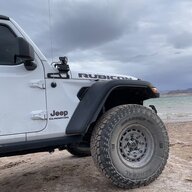
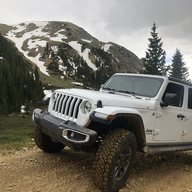
Before going through with this, do yourself a favor and go test drive one with it. Had I done that, I wouldn’t have installed this. It’s really not much of a help and the picture detail is wanting. Would have saved me over a grand, several hours and many bloody knuckles had I done that.Did anyone ever end up bundling this? I’m kind of lazy to bundle this all up and track 100 different packages heading my way.
I didn’t get this because I thought it was a waste and I knew I’d be upgrading the tail lights to Oracle’s and didn’t want to pay the premium for lighting + the camera.
I’d like to see where I’m going when cresting a hill that has me seeing nothing but blue sky.Before going through with this, do yourself a favor and go test drive one with it. Had I done that, I wouldn’t have installed this. It’s really not much of a help and the picture detail is wanting. Would have saved me over a grand, several hours and many bloody knuckles had I done that.
Yup, one of the biggest reasons I did it and in Moab it gave me great views of the clouds.I’d like to see where I’m going when cresting a hill that has me seeing nothing but blue sky.
Wait I thought you didn’t recommend it?Yup, one of the biggest reasons I did it and in Moab it gave me great views of the clouds.
I don’t. That’s one of the biggest reasons I wanted to do it, but it didn’t help. It doesn’t show what is on the other side, it just gives a great picture of the clouds.Wait I thought you didn’t recommend it?
At least it lets you see how close you get to the car in front of you.I don’t. That’s one of the biggest reasons I wanted to do it, but it didn’t help. It doesn’t show what is on the other side, it just gives a great picture of the clouds.